

Contact the seller first
The seller holds the return policy, the cancellation policy and whatever you bought. Most returns and cancellations are settled directly with them. Their email address and phone number are on your Help page in uPortal360, under Product or Service. If you cannot reach them, or you are not happy with their answer, open a request with us, or call us on (888) 233-2302.Texting CANCEL to 76032 does not cancel your purchase. It stops our text messages. Use the
request below, or call us.
Opening the request
1
Go to Help
Sign in to uPortal360 and select Help, then Start Inquiry.
2
Choose Return or Cancel
Under Product or Service, find I Would Like to Return or Cancel and select Select.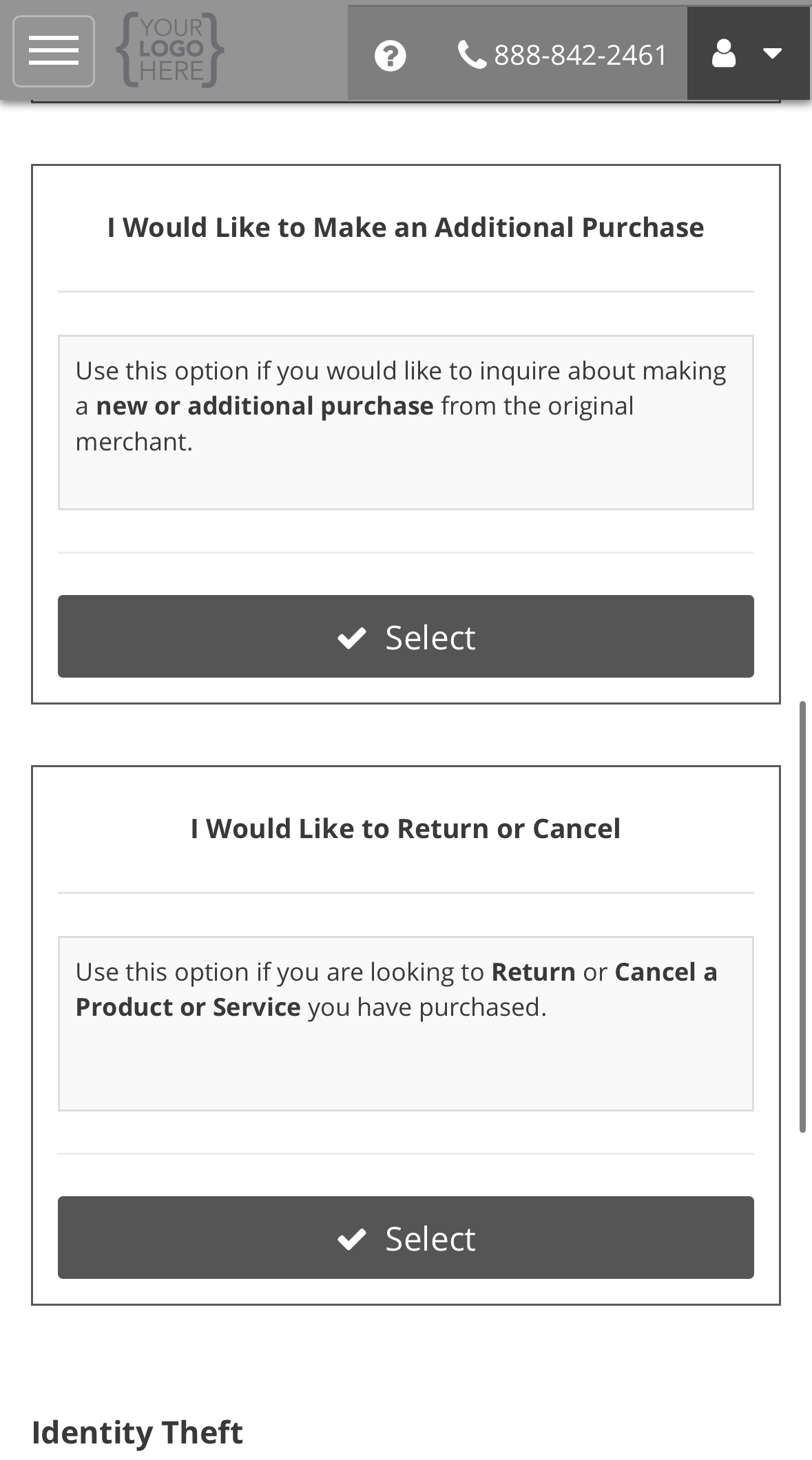
3
Complete the form
The form opens with a reminder to contact the seller first. Every question on it is required.
The next section explains each one.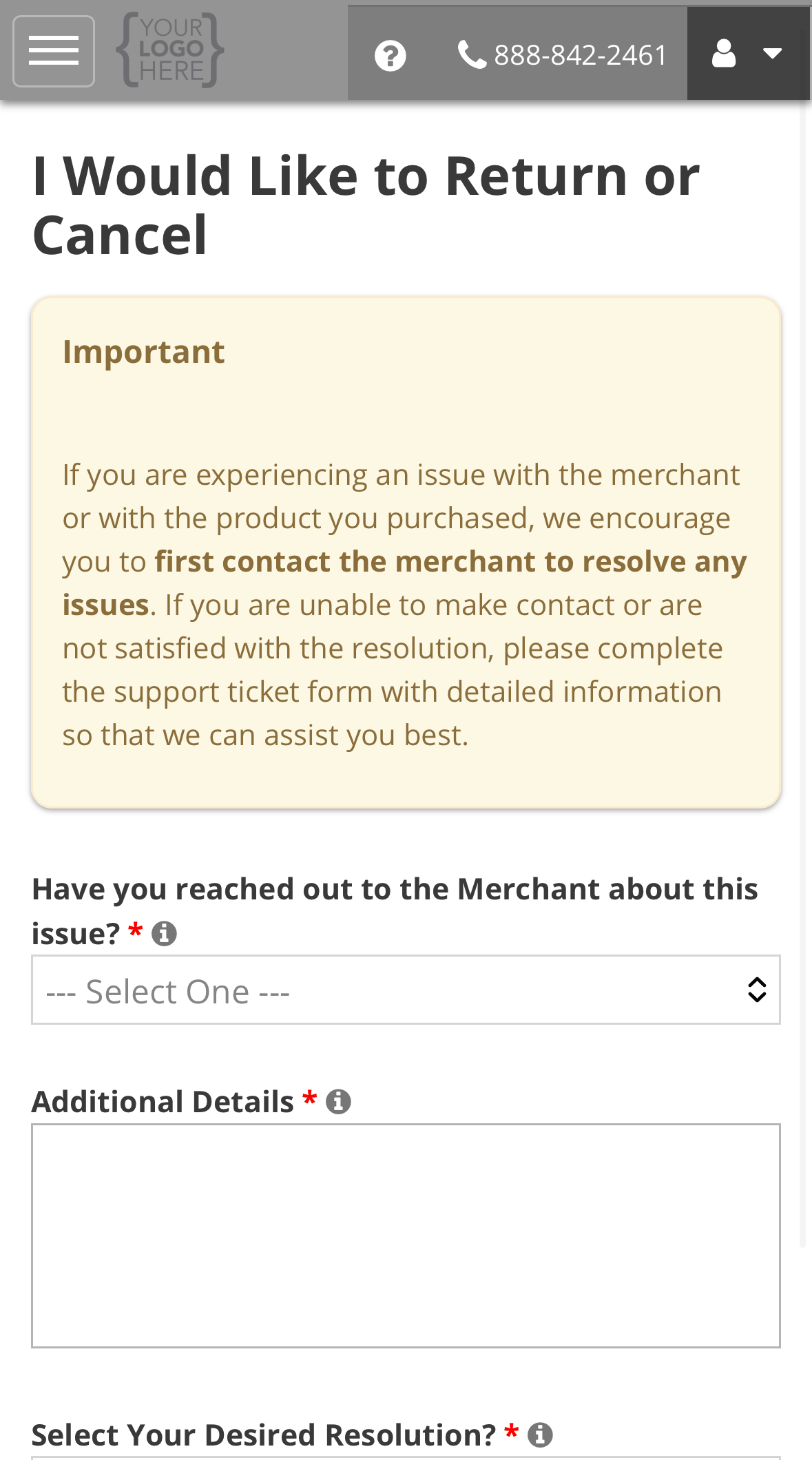
4
Submit
Select Submit.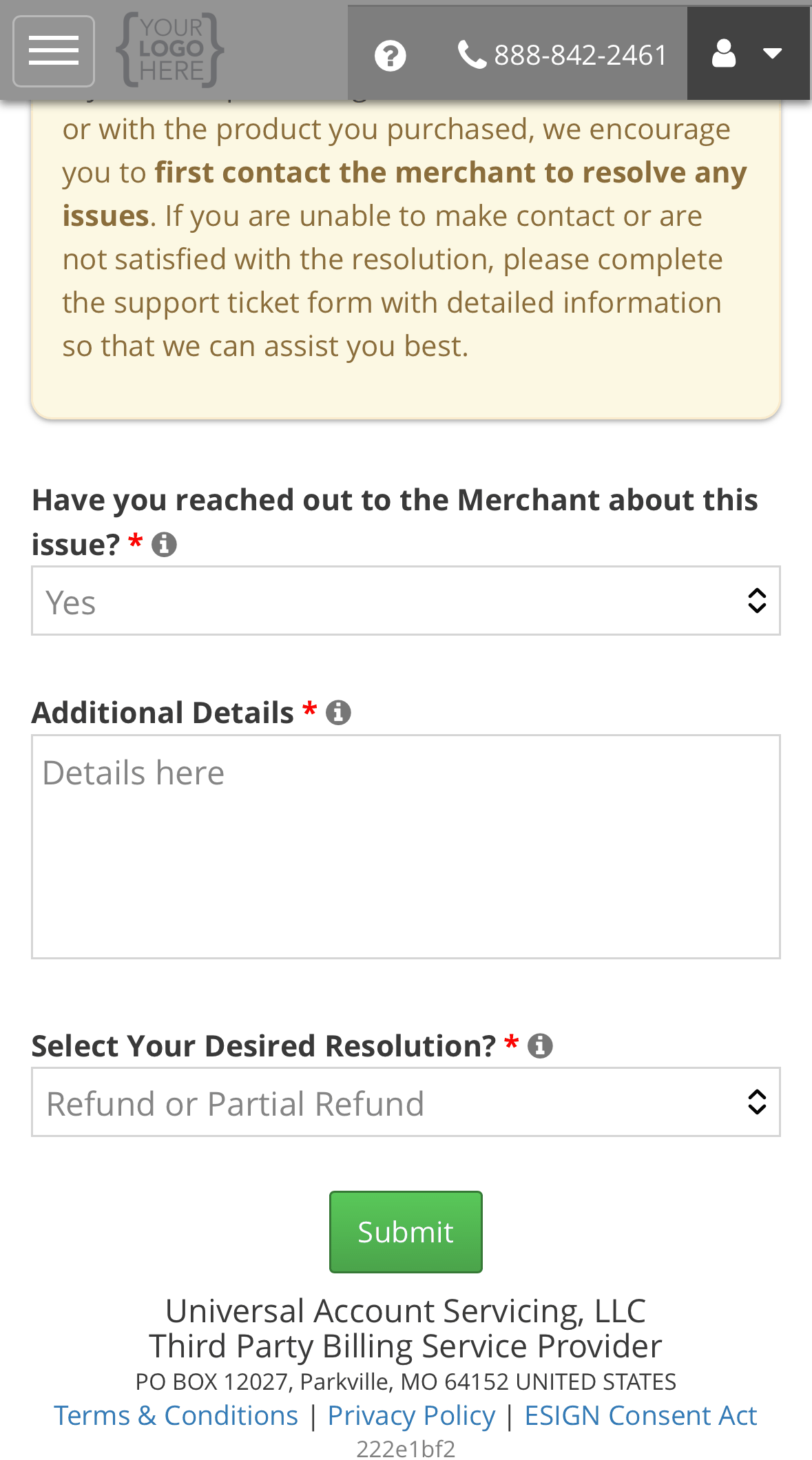
5
Note your case number and confirm how to reach you
The confirmation shows your case number. Confirm your best phone number, email and time of day,
then select Update & Continue to go to your ticket. From there you can attach a return
receipt or the seller’s reply. See Adding information to your ticket.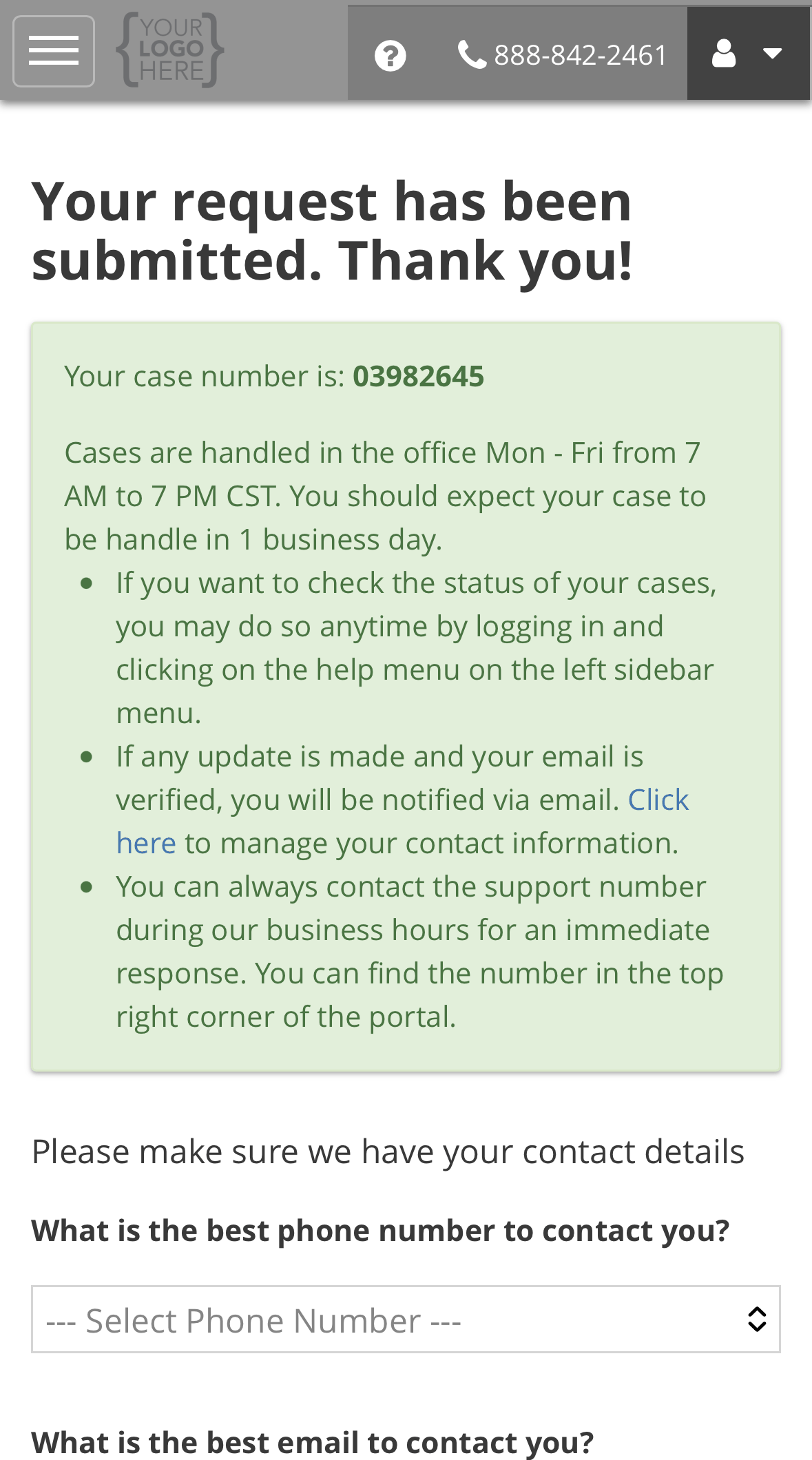
What the form asks, and why
Choosing a desired resolution
This is the outcome you are asking for. It is not a promise that it will happen. It tells the seller and us what you want, so the ticket starts in the right place.Choosing Cancel or Close my Account does not close the account by itself, and it does not
clear the balance. The account closes only once the cancellation is agreed.
What happens next
We check your request against the seller’s cancellation policy, and against any cancellation right the law gives you. We send it to the seller, and they review it and contact you. Most requests are resolved within 11 business days. The ticket shows you where it is waiting. See Reading your ticket. If the seller needs something back from you, such as a returned item, the ticket’s Merchant Status reads Pending - Consumer Return. Nothing moves until they receive it.If the return or cancellation is agreed
If it is not agreed
Your account carries on as before. If you disagree with the outcome, you can dispute it. Someone who did not give the first answer reviews it. See Opening a support request. If you think a charge itself is wrong, rather than wanting to cancel something you agreed to, see Disputing a charge.Help with a purchase
Wrong item, nothing arrived, or a defect.
Call (888) 233-2302
Call if it is urgent.