

Account Summary
Select Account Summary from the menu. This is where you stand today.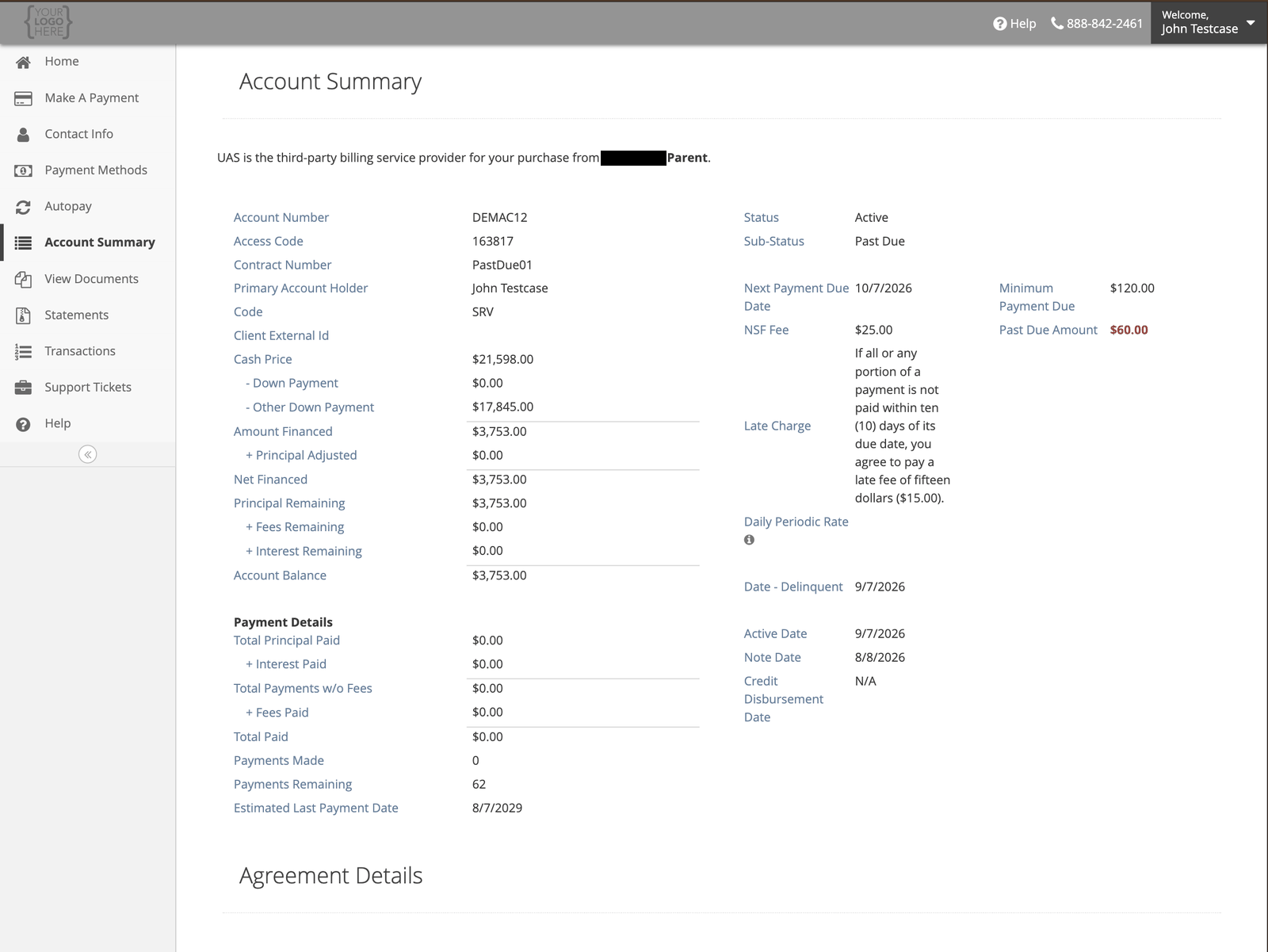
Read Credit Disbursement Date against Note Date. Interest does not start on the Note Date. It
starts on the Credit Disbursement Date. It is the day after your right to cancel ends. See
When interest starts.
Agreement Details
Lower down the same page. This is what you agreed to at signing, and it does not change.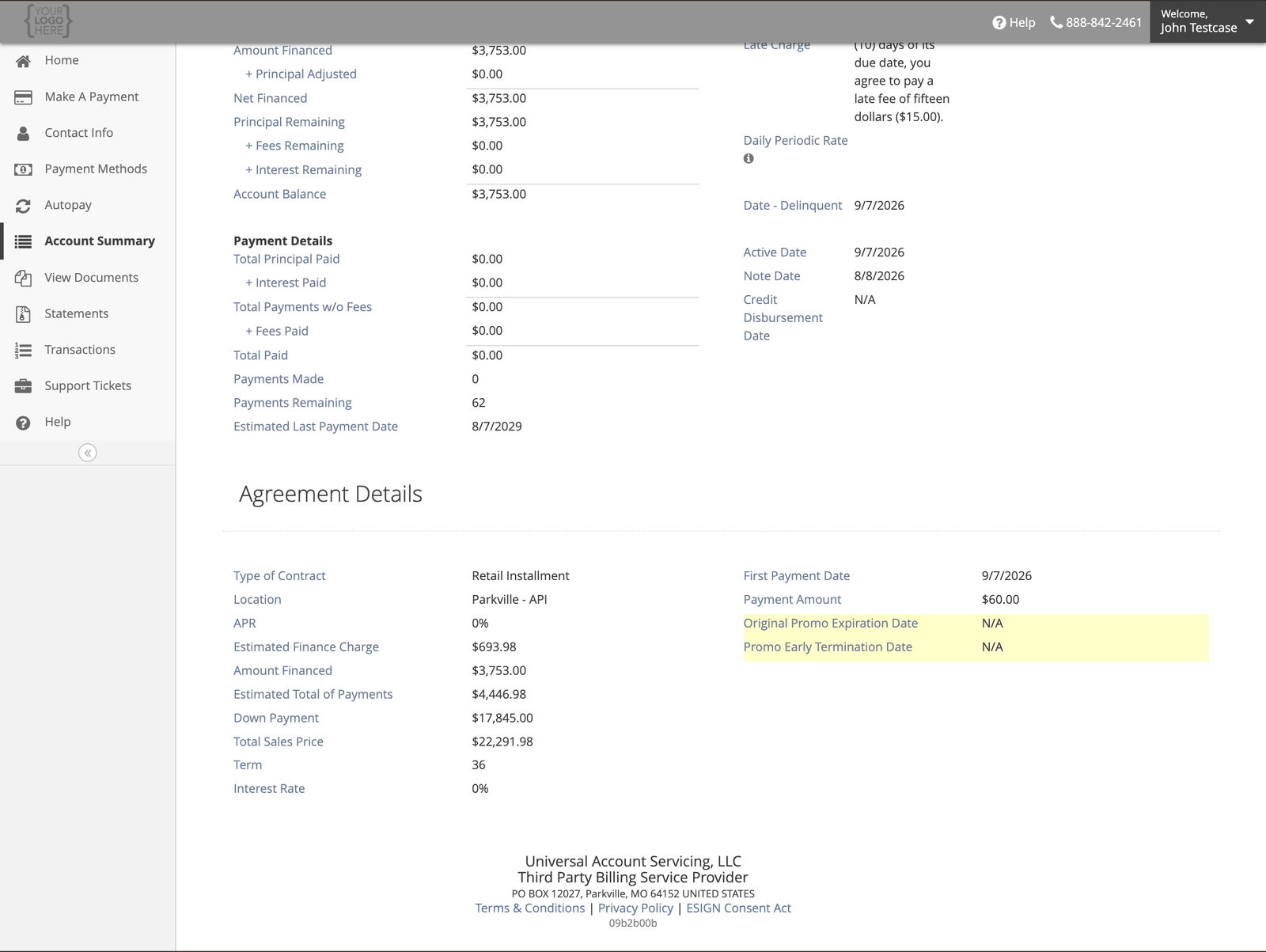
If you have a private education loan
Your Agreement Details has more fields, in this order. The labels are the portal’s own.
Your payment goes up on the Post Deferment First PMT Date. Compare Deferment Payment Amount
with Payment Amount. The first is the reduced payment while you are enrolled. The second is what
you owe after.
Why the total can be more than the price
Compare four fields. Total Sales Price is the full price. Down Payment is what you paid up front. Amount Financed is what you borrowed. Estimated Total of Payments is what you will pay in total, and it includes the Estimated Finance Charge, the cost of the credit. The total is higher than the price because it includes that cost. If a figure does not match what you expected, or you already paid for what you bought, ask us to look into it. Call (888) 233-2302, or in uPortal360 select Help, then Start Inquiry (sign in first if you are not already in). Under Billing, select I Have a Question About My Bill and put the details in Additional Details. We research it and work with the retail seller to resolve it.Your documents
Select View Documents for copies of what you signed.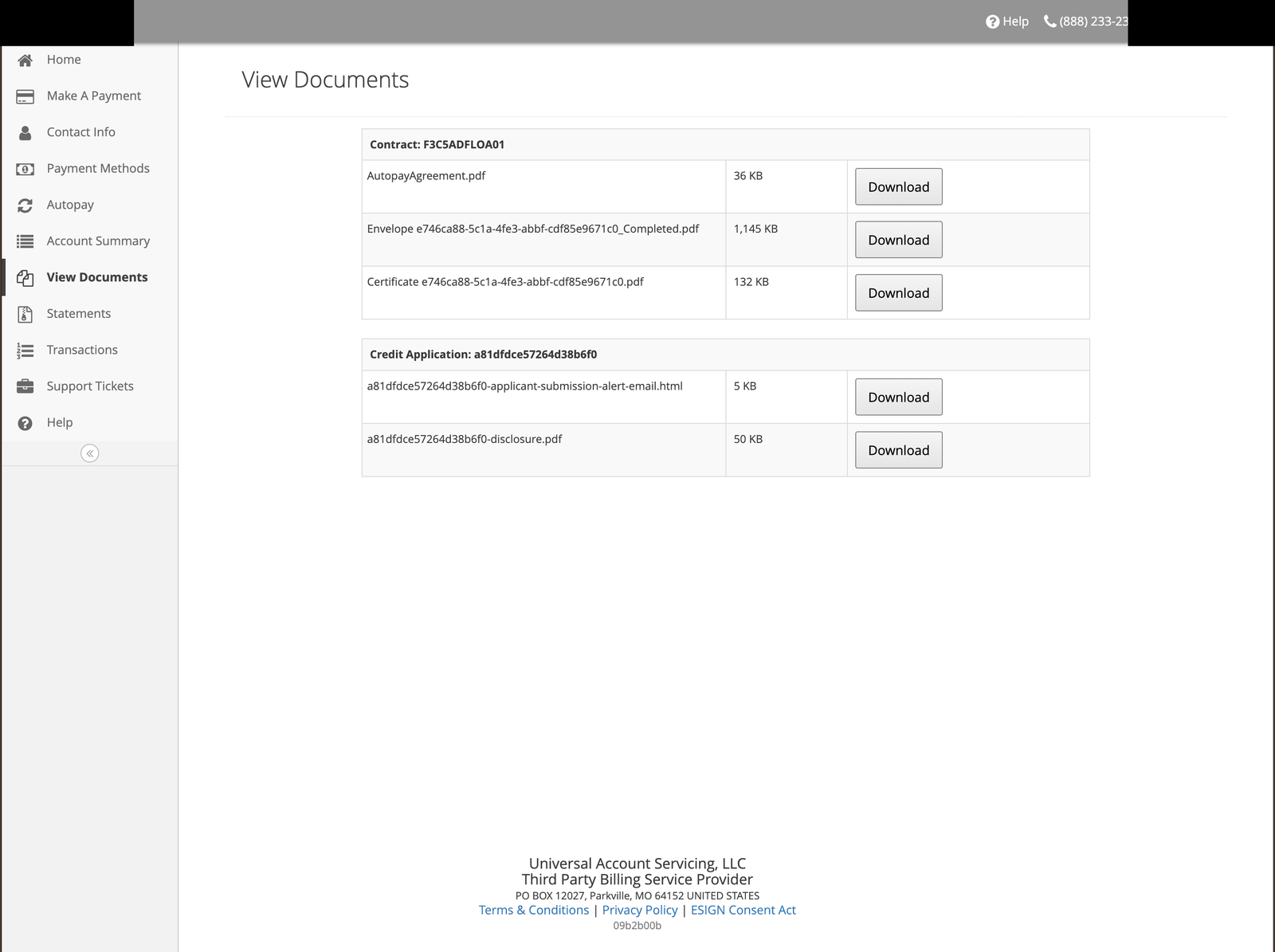
Signing with DocuSign
UAS uses DocuSign when it originates an agreement. If you signed with DocuSign, it sends a copy to every party to the agreement when signing is finished, so a co-borrower gets one too. Check your email, including your spam folder, for the message from DocuSign. Some companies that hire UAS to service accounts use another vendor or another way to sign. If that is how you signed, your copy came from them, not from DocuSign. Either way, UAS works to get a copy of every agreement and keep it for you. Select View Documents in the uPortal360 menu to look for yours. A copy may not be there for every account. If it is missing, call us and an agent can help. If a document you expect is missing, contact us — we can send you a copy, and there is no charge for a paper copy of anything we sent you electronically.Your contract does not renew
Your contract covers the purchase you made from the retail seller. What you bought defines the contract and the payment terms. It does not renew on its own.- Revolving account. Each purchase is one charge slip. If the seller offers a renewal or an additional purchase, it is a new charge slip on your account.
- Retail installment contract (RIC) or installment loan. A renewal or an additional purchase is a new agreement.