> ## Documentation Index
> Fetch the complete documentation index at: https://faq.universalaccountservicing.com/llms.txt
> Use this file to discover all available pages before exploring further.
# Updating your contact information
> Change your email, phone number, or mailing address in uPortal360.
Your email, phone numbers, and mailing address can all be changed yourself, in a couple of minutes.
## Where to find it
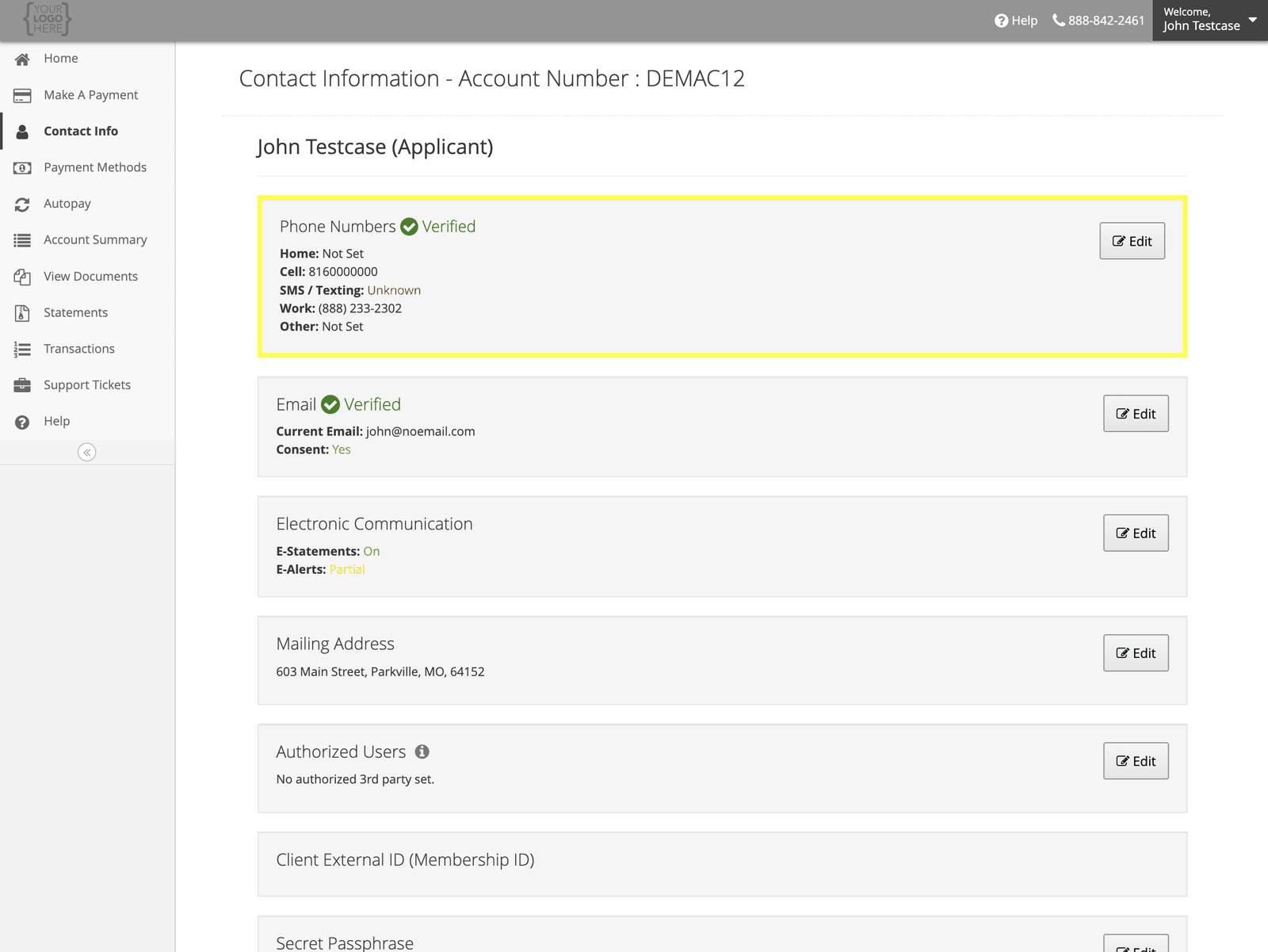
Sign in, open the menu, and select **Contact Info**. Everything on your account is listed with an
**Edit** button beside it.
 ## Phone numbers
Select **Edit** beside **Phone Numbers**. You can record a home, cell, work, and other number, and
mark one as **Primary**.
## Phone numbers
Select **Edit** beside **Phone Numbers**. You can record a home, cell, work, and other number, and
mark one as **Primary**.
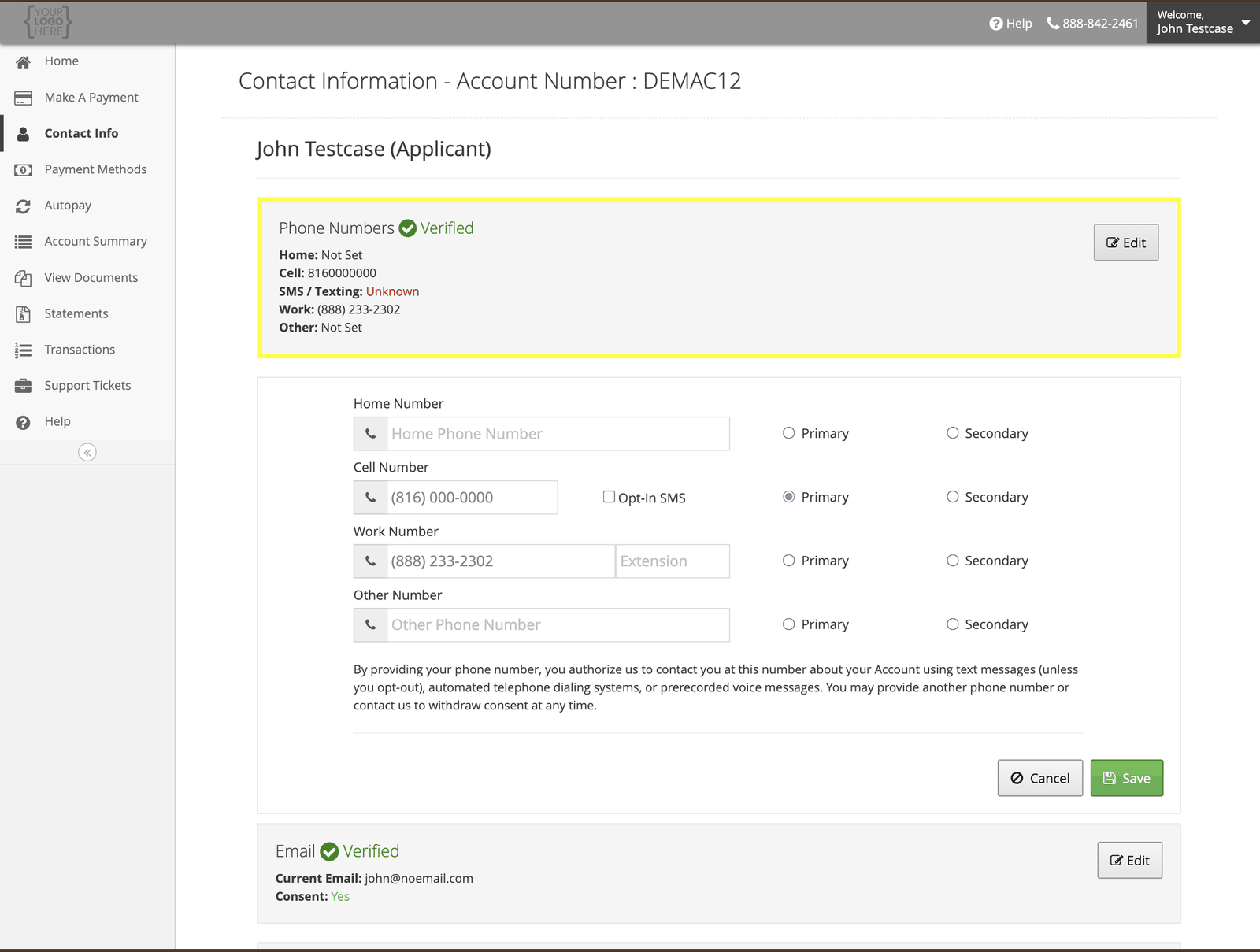 There is an **Opt-In SMS** checkbox beside the cell number. Tick it to receive account text
messages, or leave it clear. See [Text message program](/trust-and-compliance/text-message-program).
Adding a phone number authorizes us to contact you on it about your account — including by text
message unless you opt out, and by automated dialling or prerecorded voice. You can remove a
number or withdraw consent at any time. See
[How and when we contact you](/trust-and-compliance/how-we-contact-you).
## Email address
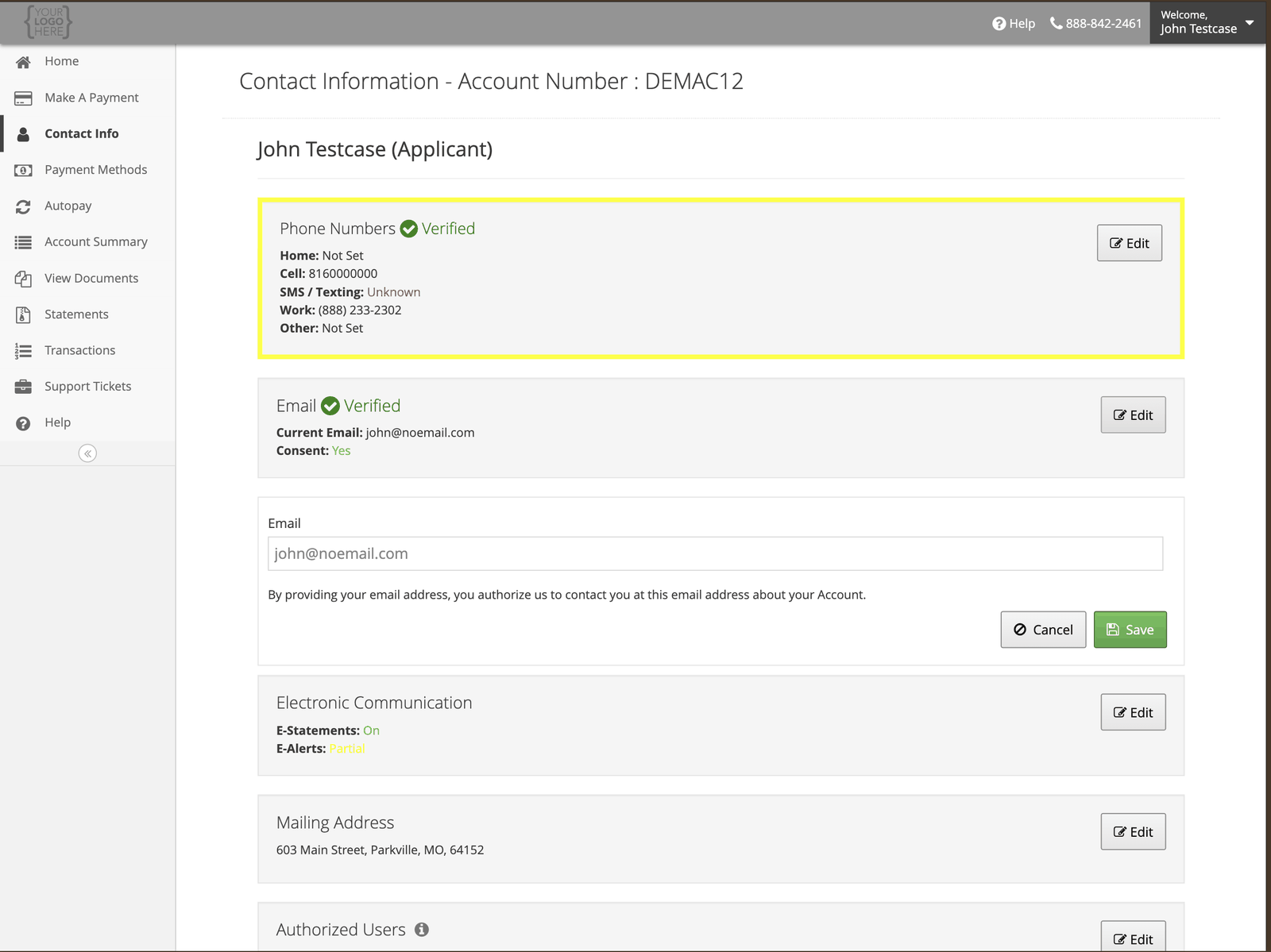
Select **Edit** beside **Email**. Your email is how we send statements and alerts if you have gone
paperless, so keep it current.
There is an **Opt-In SMS** checkbox beside the cell number. Tick it to receive account text
messages, or leave it clear. See [Text message program](/trust-and-compliance/text-message-program).
Adding a phone number authorizes us to contact you on it about your account — including by text
message unless you opt out, and by automated dialling or prerecorded voice. You can remove a
number or withdraw consent at any time. See
[How and when we contact you](/trust-and-compliance/how-we-contact-you).
## Email address
Select **Edit** beside **Email**. Your email is how we send statements and alerts if you have gone
paperless, so keep it current.
 ## Mailing address
Select **Edit** beside **Mailing Address**. This is where paper statements and any correspondence
go.
## What you cannot change here
Your **name**, **date of birth**, and **Social Security Number** are not editable online, because
changing them changes who the account belongs to. Those need documentation — see
[Changing your personal information](/your-information/changing-your-information).
## While you're here
Turn on alerts for payments, fees, and a promotional period about to expire.
## Mailing address
Select **Edit** beside **Mailing Address**. This is where paper statements and any correspondence
go.
## What you cannot change here
Your **name**, **date of birth**, and **Social Security Number** are not editable online, because
changing them changes who the account belongs to. Those need documentation — see
[Changing your personal information](/your-information/changing-your-information).
## While you're here
Turn on alerts for payments, fees, and a promotional period about to expire.