> ## Documentation Index
> Fetch the complete documentation index at: https://faq.universalaccountservicing.com/llms.txt
> Use this file to discover all available pages before exploring further.
# Finding your Account Number and Access Code
> Both are on your statement and in your welcome packet, and you can retrieve them by email.
You need both to sign in. Both were assigned to you — you did not choose either.
## The fastest way: look them up by email
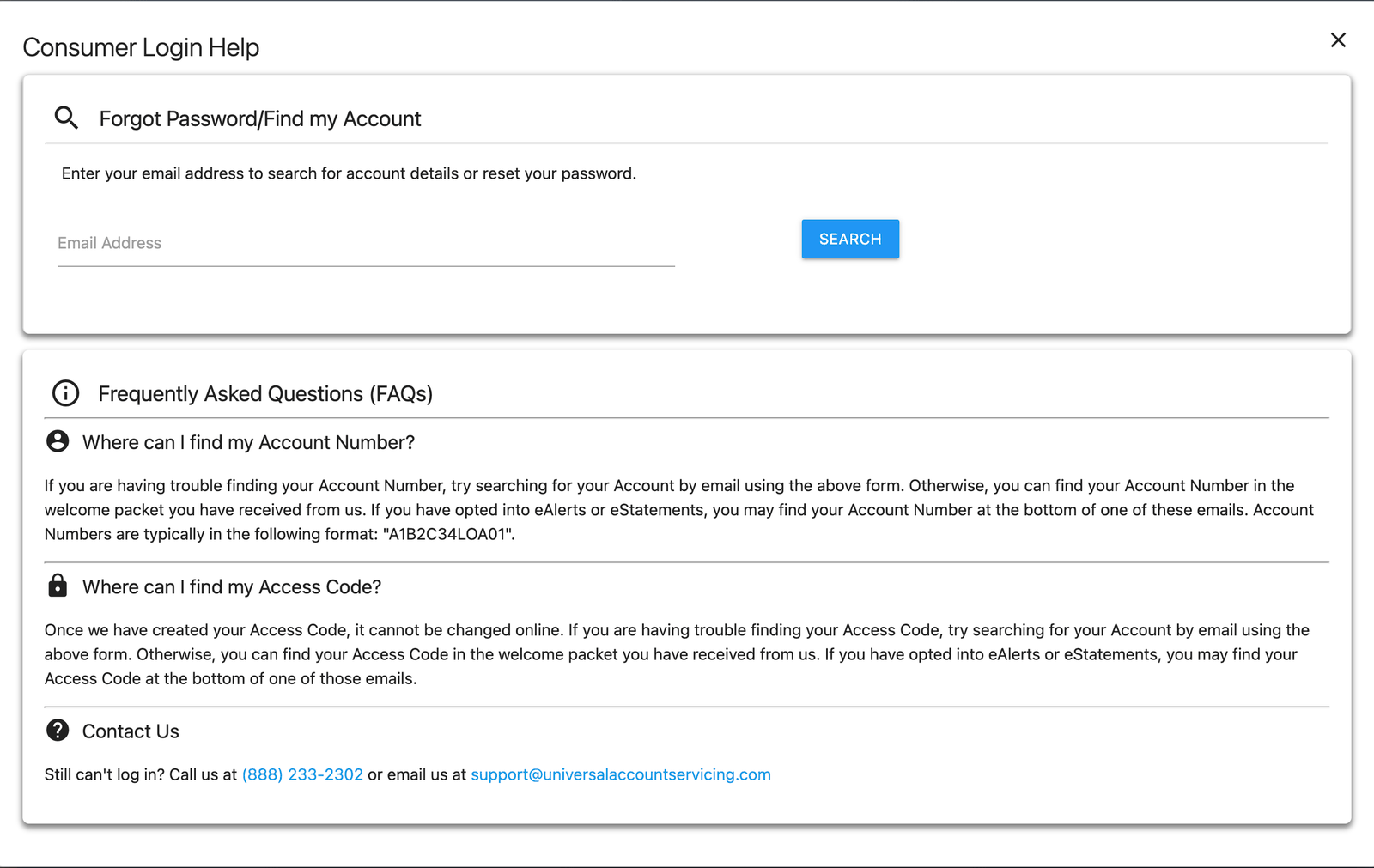
If you know the email address on your account, you can retrieve your details without calling.
On the [sign-in screen](https://uportal360.com/login), select **I forgot my Username or
Password**.
Then enter the email address associated with your account and select **Search**.
 ## Where else they appear
| Where | What you'll find |
| ---------------------------------- | ------------------------------------------------------------------------------------------------------------------------------------------------------------------------------------ |
| **Your monthly statement** | Both, printed in the Notices section |
| **Your welcome letter** | Both, in the block at the top — along with your opening balance, first payment date, and monthly payment amount. It is the last page of the document packet you received at signing. |
| **Any eAlert or eStatement email** | Both, at the bottom of the message, if you have opted in |
Account Numbers follow the pattern `A1B2C34LOA01`. Access Codes are numeric.
**Your statement carries both your Account Number and your Access Code.** Treat a paper statement
the way you would treat a bank letter — keep it somewhere sensible, and shred it rather than
putting it in the bin.
On its own it is not enough to get into your account. Signing in also needs your date of birth or
the last four digits of your Social Security Number, and neither is printed on your statement. But
a statement is two of the three, so it is worth looking after.
## If none of those work
Your Access Code **cannot be changed online** once it has been issued. If you cannot retrieve it by
email and you do not have a statement or welcome packet, you will need to call us.
We will verify your identity and get you back in.
## Where else they appear
| Where | What you'll find |
| ---------------------------------- | ------------------------------------------------------------------------------------------------------------------------------------------------------------------------------------ |
| **Your monthly statement** | Both, printed in the Notices section |
| **Your welcome letter** | Both, in the block at the top — along with your opening balance, first payment date, and monthly payment amount. It is the last page of the document packet you received at signing. |
| **Any eAlert or eStatement email** | Both, at the bottom of the message, if you have opted in |
Account Numbers follow the pattern `A1B2C34LOA01`. Access Codes are numeric.
**Your statement carries both your Account Number and your Access Code.** Treat a paper statement
the way you would treat a bank letter — keep it somewhere sensible, and shred it rather than
putting it in the bin.
On its own it is not enough to get into your account. Signing in also needs your date of birth or
the last four digits of your Social Security Number, and neither is printed on your statement. But
a statement is two of the three, so it is worth looking after.
## If none of those work
Your Access Code **cannot be changed online** once it has been issued. If you cannot retrieve it by
email and you do not have a statement or welcome packet, you will need to call us.
We will verify your identity and get you back in.