> ## Documentation Index
> Fetch the complete documentation index at: https://faq.universalaccountservicing.com/llms.txt
> Use this file to discover all available pages before exploring further.
# Account access and security
> Let someone else act on your account, set a verification passphrase, and see what we store.
Two settings on your **Contact Info** page control who can act on your account and how we confirm
it is really you.
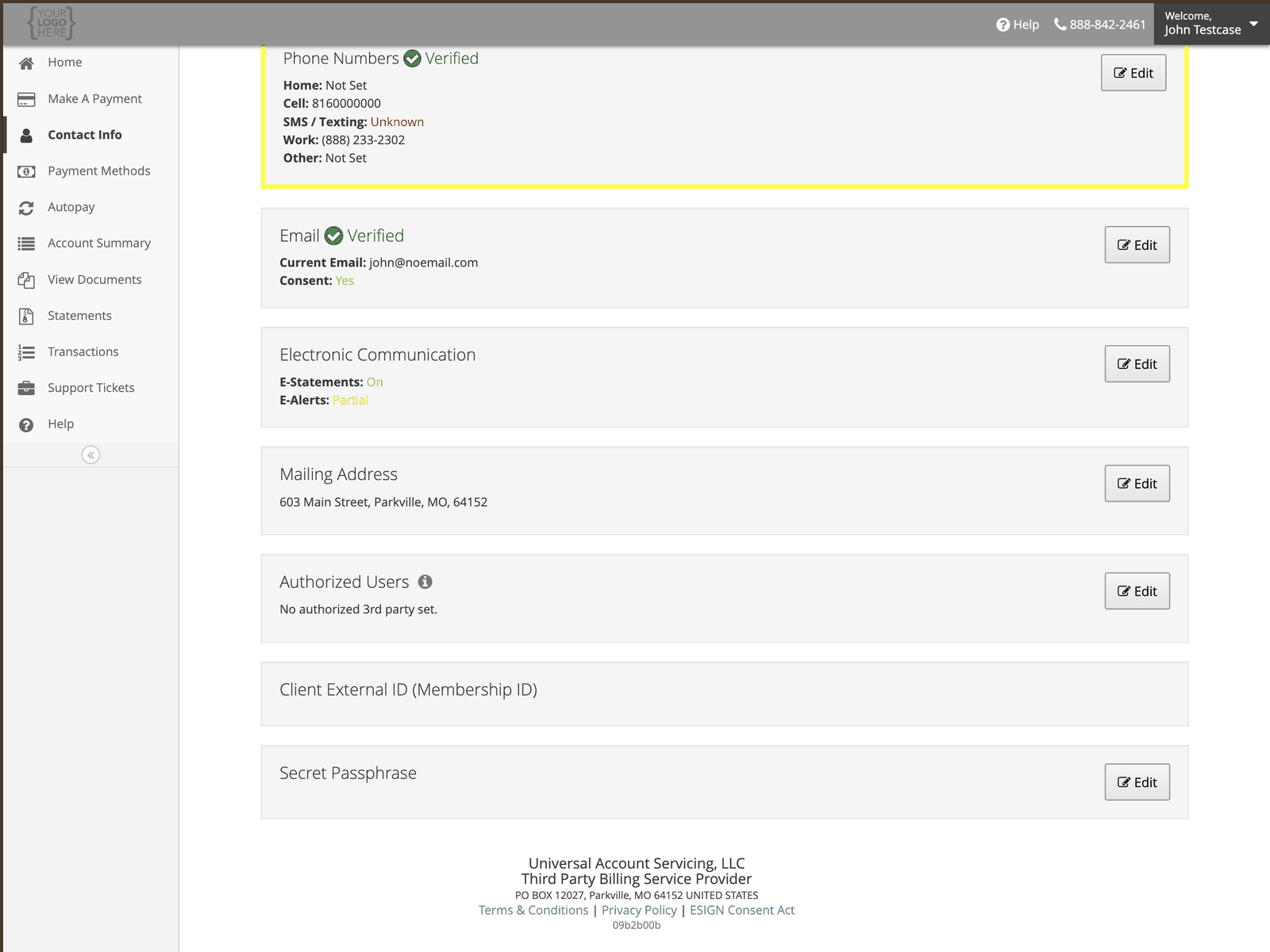 ## Authorized users
An authorized user is someone you permit to deal with us about your account — a spouse handling the
household bills, or an adult child helping a parent.
To add one, select **Edit** beside **Authorized Users** and enter their details. You can remove them
the same way, at any time.
**An authorized user has the same authority on your account as you do.**
They can make payments, change or cancel AutoPay, add and remove payment methods, update your
contact information, and discuss every detail of your account with us — your balance, your payment
history, and your terms.
This is not a view-only permission. Add someone only if you would be comfortable handing them your
sign-in details.
**An authorized user is not the same as a cosigner.** A cosigner or co-applicant signed the
contract and is responsible for the debt — their authority comes from the contract and cannot be
removed. See [Co-applicant access](/signing-in/co-applicant-access).
An authorized user carries no responsibility for the debt, and you can remove them at any time.
## Secret passphrase
A word or phrase we can ask for to confirm your identity when you contact us. Setting one is
optional.
Choose something you will remember but that someone who knows you could not guess. Do not reuse a
password from anywhere else — this is spoken aloud to an agent, not typed into a login screen.
## What we store, and what we don't
| | |
| --------------------------------- | -------------------------------------------------------------------------------------------------- |
| **Card and bank account numbers** | Not stored in the portal. Only the last four digits are shown. |
| **CVV / security code** | Never stored anywhere in our systems. |
| **Your Access Code** | Assigned by us, cannot be changed online — see [Access Code security](/signing-in/new-access-code) |
More detail in [How we protect your data](/trust-and-compliance/how-we-protect-your-data).
## Authorized users
An authorized user is someone you permit to deal with us about your account — a spouse handling the
household bills, or an adult child helping a parent.
To add one, select **Edit** beside **Authorized Users** and enter their details. You can remove them
the same way, at any time.
**An authorized user has the same authority on your account as you do.**
They can make payments, change or cancel AutoPay, add and remove payment methods, update your
contact information, and discuss every detail of your account with us — your balance, your payment
history, and your terms.
This is not a view-only permission. Add someone only if you would be comfortable handing them your
sign-in details.
**An authorized user is not the same as a cosigner.** A cosigner or co-applicant signed the
contract and is responsible for the debt — their authority comes from the contract and cannot be
removed. See [Co-applicant access](/signing-in/co-applicant-access).
An authorized user carries no responsibility for the debt, and you can remove them at any time.
## Secret passphrase
A word or phrase we can ask for to confirm your identity when you contact us. Setting one is
optional.
Choose something you will remember but that someone who knows you could not guess. Do not reuse a
password from anywhere else — this is spoken aloud to an agent, not typed into a login screen.
## What we store, and what we don't
| | |
| --------------------------------- | -------------------------------------------------------------------------------------------------- |
| **Card and bank account numbers** | Not stored in the portal. Only the last four digits are shown. |
| **CVV / security code** | Never stored anywhere in our systems. |
| **Your Access Code** | Assigned by us, cannot be changed online — see [Access Code security](/signing-in/new-access-code) |
More detail in [How we protect your data](/trust-and-compliance/how-we-protect-your-data).