> ## Documentation Index
> Fetch the complete documentation index at: https://faq.universalaccountservicing.com/llms.txt
> Use this file to discover all available pages before exploring further.
# Accepted payment methods
> Which cards and bank accounts you can use, why the list differs between accounts, and where to find yours.
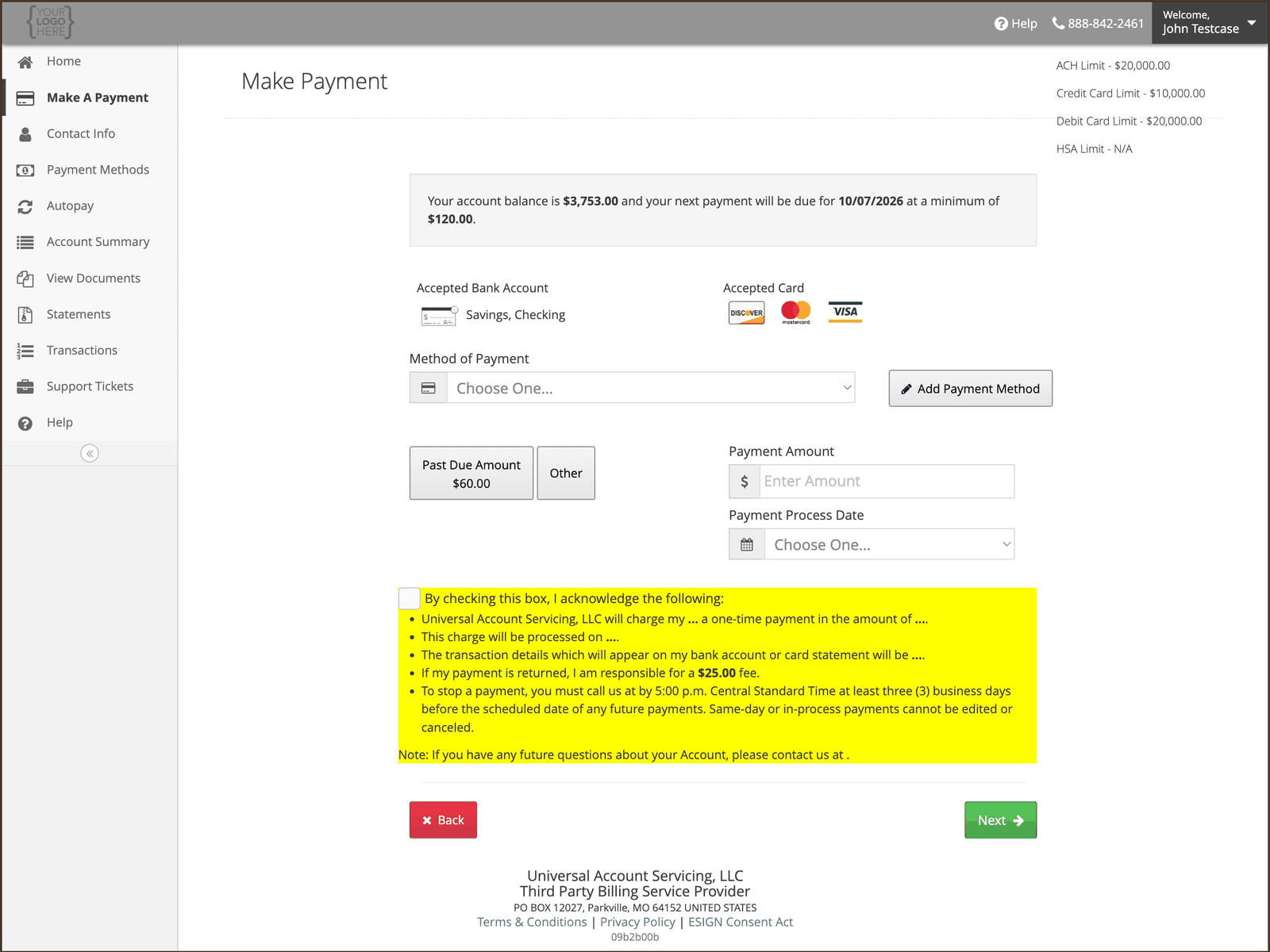
**Your account's list is on the Make A Payment screen.** Which methods you can use depends on the
finance program your account belongs to, so it is not the same for everyone. Sign in and open
**Make A Payment** to see yours.
## What that means
The methods offered to you are set by the program your account was originated under — by the bank or
lender that funded it, by the card network rules that apply, and by the law of your state. Two
people with a UAS account can be shown different lists, and both are correct.
Whatever your list is, **at least one way to pay is always available to you at no extra cost.**
## What is usually available
| Method | Notes |
| ---------------------- | ------------------------------------------------------------------------------------------- |
| **Bank account (ACH)** | Checking or savings. Available on most programs |
| **Debit card** | Visa, Mastercard and Discover |
| **Credit card** | Visa, Mastercard and Discover. **Not available on every program** — see below |
| **American Express** | Only where your program has it enabled |
| **HSA and FSA cards** | Only where what you bought is a medical product or service. Otherwise the card will decline |
| **Check by mail** | Available on essentially every account, and never carries a fee |
**ACH needs a US bank account.** A US routing number is required. An account at a bank outside the
US cannot be used, even if it holds US dollars — see [Paying from Canada](/payments/paying-from-canada).
## If your credit card declines and your debit card works
That is not a fault, and it is not about your card. Some accounts are set up so that credit cards
cannot be used to repay them — the card network rules that apply to repaying a debt permit a debit
card on those accounts but not a credit card.
If that applies to your account, you will not be offered a credit card option on the payment screen,
and a credit card entered anyway will be declined. **Use a bank account or a debit card instead.**
## Paying from a bank account
You will need your **9-digit routing number** and your **account number** — both are on a check, and
the payment screen shows a diagram of where to find them.
 ## We do not take cash
Do not mail cash. If your program offers payment at a retail cash location, that network charges you
its own fee at the counter — it is not a UAS fee and we cannot waive it.
## Saving a method for next time
You can store a card or bank account so you do not have to re-enter it — see
[Managing your saved payment methods](/payments/managing-payment-methods). If you pay by card and
your card is later replaced, [automatic card updates](/autopay/card-updater) may keep it working.
## We do not take cash
Do not mail cash. If your program offers payment at a retail cash location, that network charges you
its own fee at the counter — it is not a UAS fee and we cannot waive it.
## Saving a method for next time
You can store a card or bank account so you do not have to re-enter it — see
[Managing your saved payment methods](/payments/managing-payment-methods). If you pay by card and
your card is later replaced, [automatic card updates](/autopay/card-updater) may keep it working.