> ## Documentation Index
> Fetch the complete documentation index at: https://faq.universalaccountservicing.com/llms.txt
> Use this file to discover all available pages before exploring further.
# Returning or canceling a purchase
> How to ask to return or cancel what you bought, what the form asks and why, and what happens to your account.
**The business you bought from decides a return or cancellation.** We service your account. We send
your bills and take your payments. We cannot cancel or change your contract with that business. What
we can do is record your request, send it to them, and change your account once they agree.
Your account stays open while that happens. **Your payments are still due**, and so is any AutoPay
you have set up.
**Do not stop paying while you wait.** A cancellation request does not pause the account. A
payment you miss while waiting is still a missed payment. If the cancellation is agreed, your
account is adjusted then.
## Contact the seller first
The seller holds the return policy, the cancellation policy and whatever you bought. Most returns
and cancellations are settled directly with them. Their email address and phone number are on your
**Help** page in uPortal360, under **Product or Service**.
If you cannot reach them, or you are not happy with their answer, open a request with us, or call
us on [(888) 233-2302](tel:+18882332302).
**Texting CANCEL to 76032 does not cancel your purchase.** It stops our text messages. Use the
request below, or call us.
## Opening the request
Sign in to uPortal360 and select **Help**, then **Start Inquiry**.
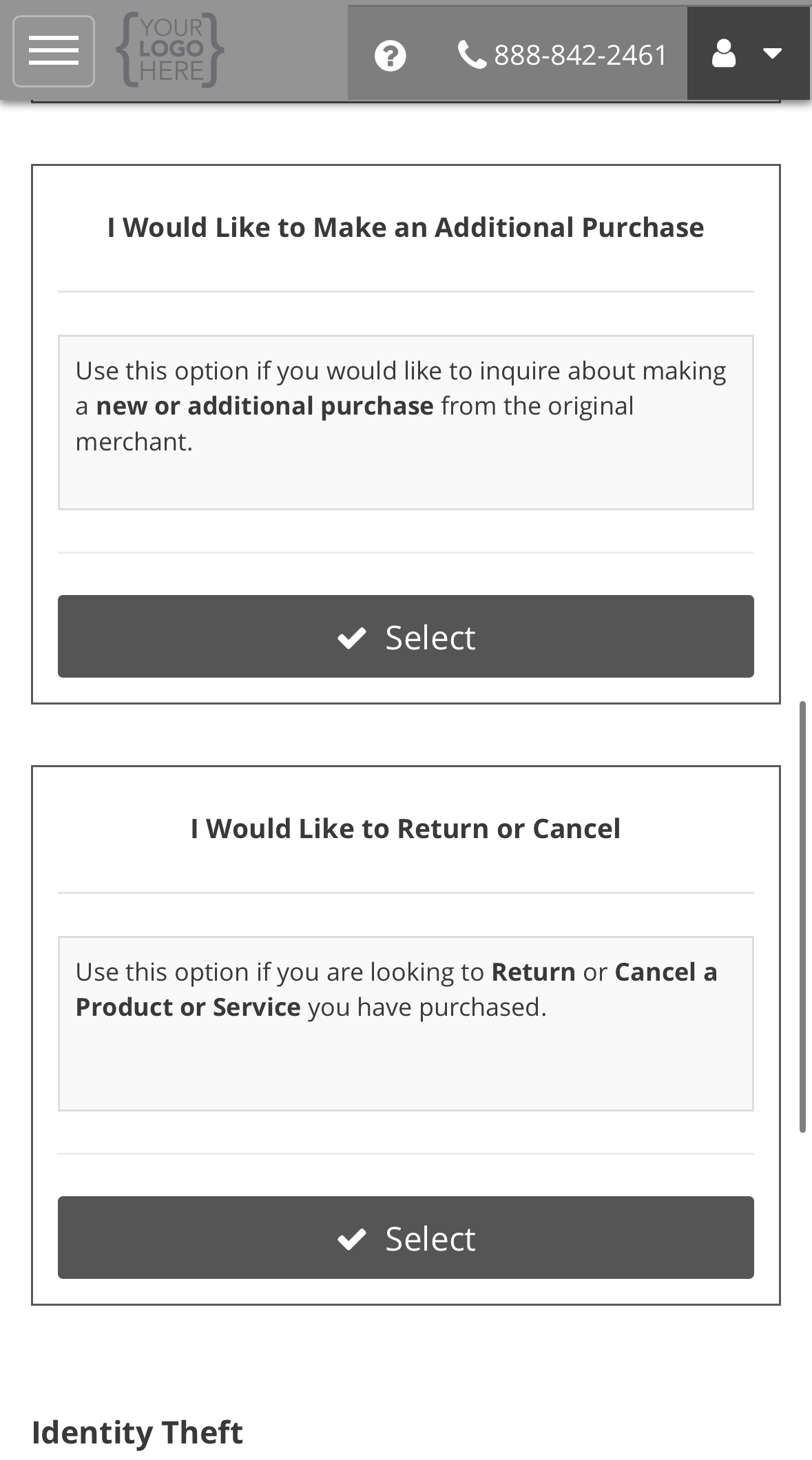
Under **Product or Service**, find **I Would Like to Return or Cancel** and select **Select**.
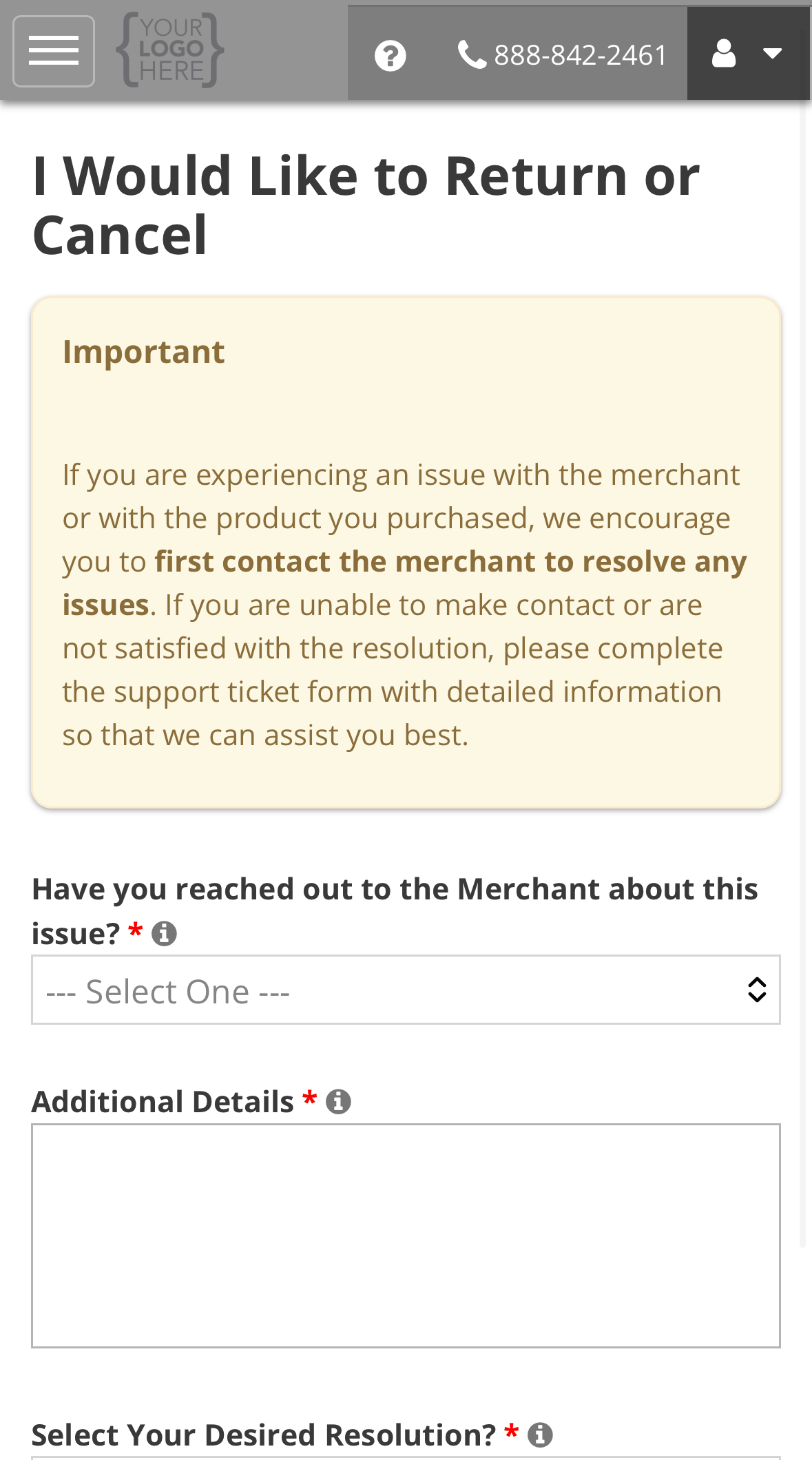
 The form opens with a reminder to contact the seller first. Every question on it is required.
The next section explains each one.
The form opens with a reminder to contact the seller first. Every question on it is required.
The next section explains each one.
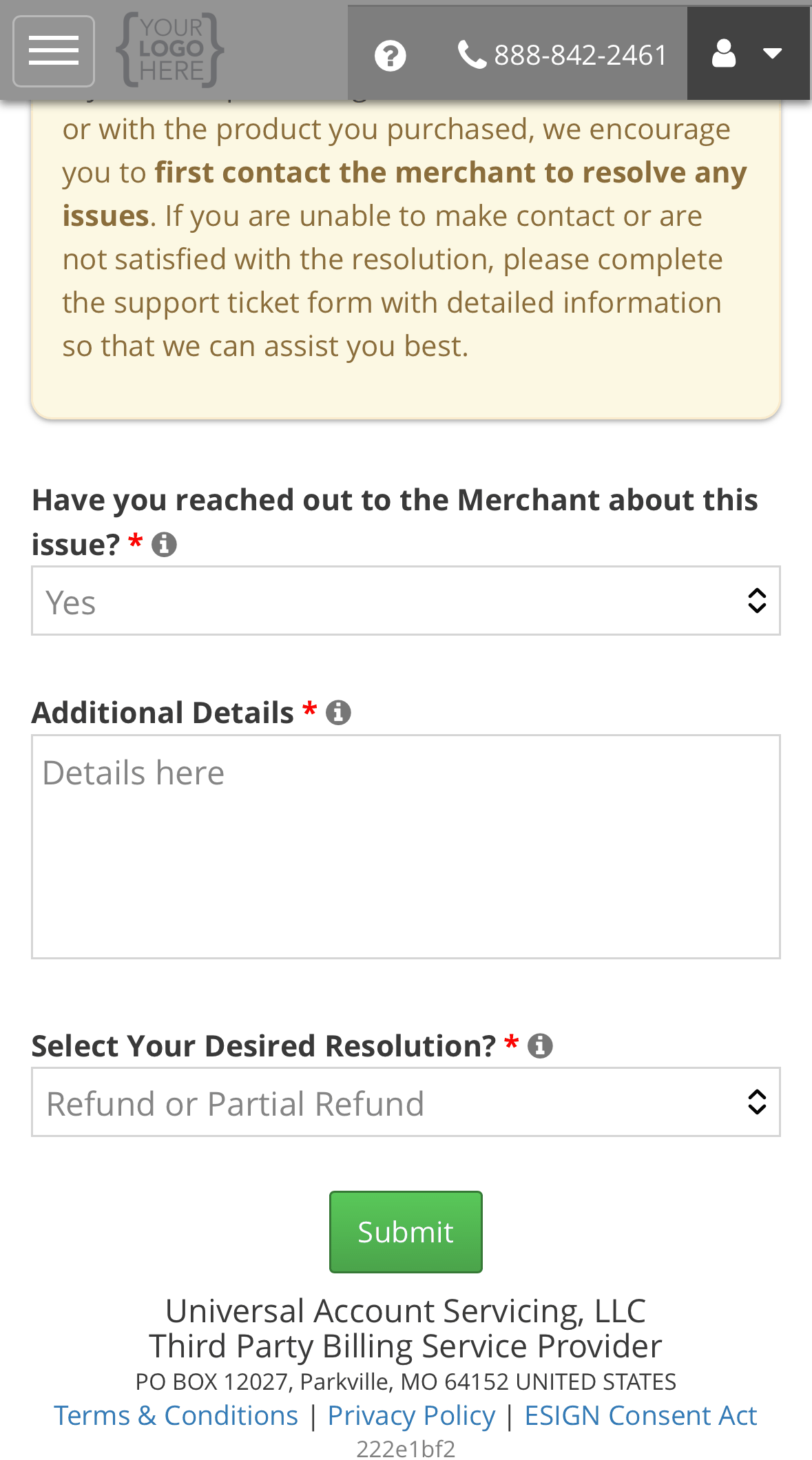
 Select **Submit**.
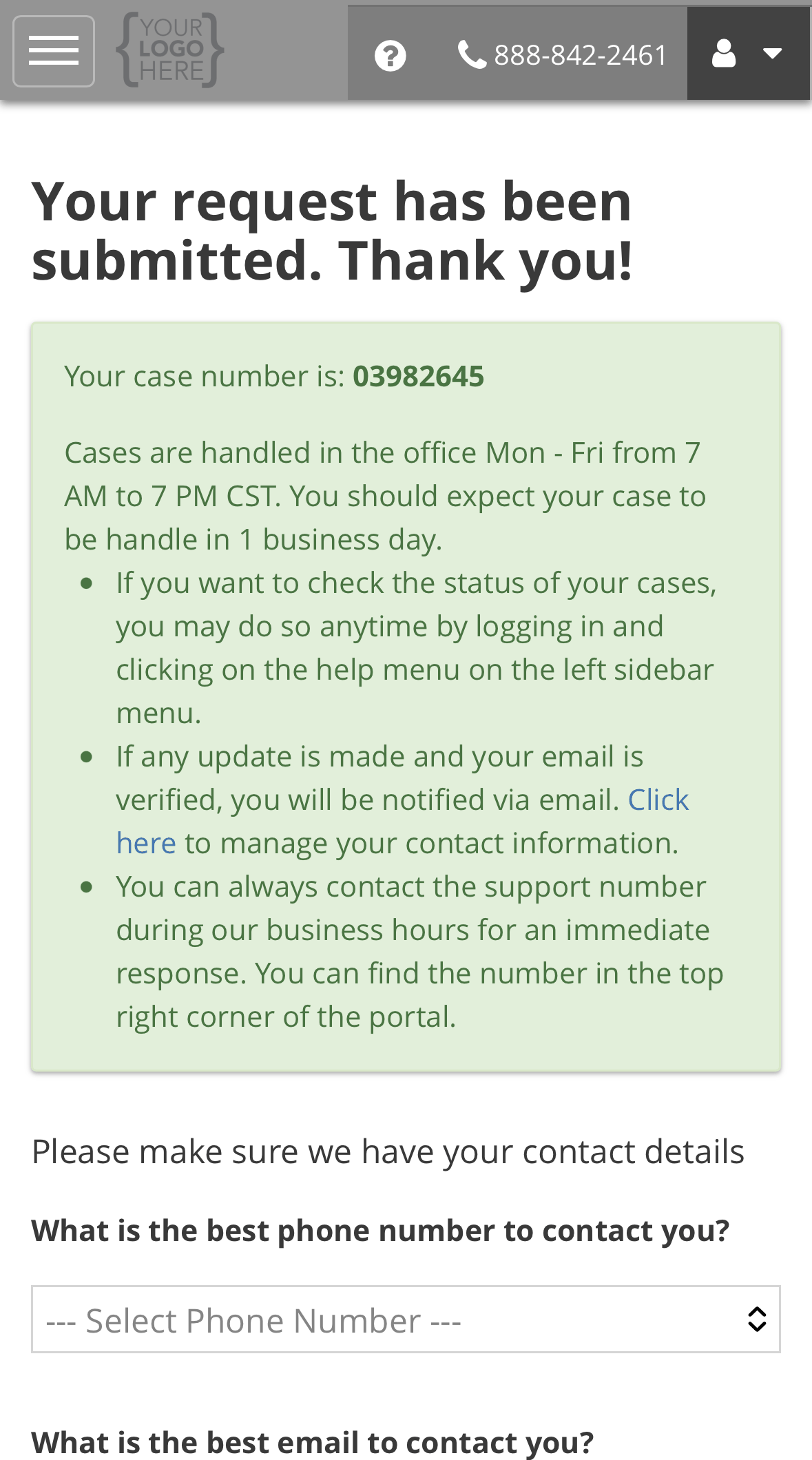
 The confirmation shows your case number. Confirm your best phone number, email and time of day,
then select **Update & Continue** to go to your ticket. From there you can attach a return
receipt or the seller's reply. See [Adding information to your ticket](/getting-help/opening-a-support-request#adding-information-to-your-ticket).
The confirmation shows your case number. Confirm your best phone number, email and time of day,
then select **Update & Continue** to go to your ticket. From there you can attach a return
receipt or the seller's reply. See [Adding information to your ticket](/getting-help/opening-a-support-request#adding-information-to-your-ticket).
 ## What the form asks, and why
| Question | What to put, and why we ask |
| ---------------------------------------------------------- | ----------------------------------------------------------------------------------------------------------------------------------------------------------------------------------------------------------------------------------------------------------------- |
| **Select a Category?** | Only shown for some sellers. Pick the one closest to your request. It sends the ticket to the right team at that seller. |
| **Have you reached out to the Merchant about this issue?** | **Yes** or **No**. If you answer **No**, the form asks you to stop and contact the seller first, because they are the ones who can agree to a return or cancellation. You can still continue if you cannot reach them. |
| **Additional Details** | What you bought, when, and what you want to happen. Also say who you spoke to at the seller, when, and what they told you, and include any return or cancellation number they gave you. This is what the seller reads, so detail here saves a round of questions. |
| **Select Your Desired Resolution?** | The outcome you are asking for. See below. |
### Choosing a desired resolution
This is the outcome you are asking for. It is not a promise that it will happen. It tells the seller
and us what you want, so the ticket starts in the right place.
| Option | Choose it when |
| ------------------------------ | ------------------------------------------------------------------------------------------------------------------- |
| **Cancel or Close my Account** | You want to cancel the purchase or service entirely. If the seller agrees, the account is closed as a cancellation. |
| **Refund or Partial Refund** | You want money back for all or part of what you paid, for example after a partial return. |
| **Customer Support** | You want the seller to contact you about the product or service, not end it. |
| **Receive What I Purchased** | You would keep the purchase if it arrived or was delivered as agreed. |
| **Other** | None of these fit. Explain in **Additional Details**. |
Choosing **Cancel or Close my Account** does not close the account by itself, and it does not
clear the balance. The account closes only once the cancellation is agreed.
## What happens next
We check your request against the seller's cancellation policy, and against any cancellation right
the law gives you. We send it to the seller, and they review it and contact you. Most requests are
resolved within **11 business days**. The ticket shows you where it is waiting. See
[Reading your ticket](/getting-help/opening-a-support-request#reading-your-ticket).
If the seller needs something back from you, such as a returned item, the ticket's **Merchant
Status** reads **Pending - Consumer Return**. Nothing moves until they receive it.
## If the return or cancellation is agreed
| What was agreed | What happens to your account |
| --------------------------------- | -------------------------------------------------------------------------------------------------------------------------------------------------------------- |
| **A full cancellation or return** | The account is closed as a cancellation or return. |
| **A partial return** | Your balance comes down. On a fixed-term contract you get a new monthly payment for the rest of the term, and updated disclosures. |
| **Money owed back to you** | We confirm with the seller that the product or service has stopped, then refund you. See [Refunds and credit balances](/payments/refunds-and-credit-balances). |
## If it is not agreed
Your account carries on as before. If you disagree with the outcome, you can dispute it. Someone who
did not give the first answer reviews it. See [Opening a support request](/getting-help/opening-a-support-request#if-it-is-taking-too-long-or-the-answer-is-wrong).
If you think a charge itself is wrong, rather than wanting to cancel something you agreed to, see
[Disputing a charge](/getting-help/disputing-a-charge).
Wrong item, nothing arrived, or a defect.
Call if it is urgent.
## What the form asks, and why
| Question | What to put, and why we ask |
| ---------------------------------------------------------- | ----------------------------------------------------------------------------------------------------------------------------------------------------------------------------------------------------------------------------------------------------------------- |
| **Select a Category?** | Only shown for some sellers. Pick the one closest to your request. It sends the ticket to the right team at that seller. |
| **Have you reached out to the Merchant about this issue?** | **Yes** or **No**. If you answer **No**, the form asks you to stop and contact the seller first, because they are the ones who can agree to a return or cancellation. You can still continue if you cannot reach them. |
| **Additional Details** | What you bought, when, and what you want to happen. Also say who you spoke to at the seller, when, and what they told you, and include any return or cancellation number they gave you. This is what the seller reads, so detail here saves a round of questions. |
| **Select Your Desired Resolution?** | The outcome you are asking for. See below. |
### Choosing a desired resolution
This is the outcome you are asking for. It is not a promise that it will happen. It tells the seller
and us what you want, so the ticket starts in the right place.
| Option | Choose it when |
| ------------------------------ | ------------------------------------------------------------------------------------------------------------------- |
| **Cancel or Close my Account** | You want to cancel the purchase or service entirely. If the seller agrees, the account is closed as a cancellation. |
| **Refund or Partial Refund** | You want money back for all or part of what you paid, for example after a partial return. |
| **Customer Support** | You want the seller to contact you about the product or service, not end it. |
| **Receive What I Purchased** | You would keep the purchase if it arrived or was delivered as agreed. |
| **Other** | None of these fit. Explain in **Additional Details**. |
Choosing **Cancel or Close my Account** does not close the account by itself, and it does not
clear the balance. The account closes only once the cancellation is agreed.
## What happens next
We check your request against the seller's cancellation policy, and against any cancellation right
the law gives you. We send it to the seller, and they review it and contact you. Most requests are
resolved within **11 business days**. The ticket shows you where it is waiting. See
[Reading your ticket](/getting-help/opening-a-support-request#reading-your-ticket).
If the seller needs something back from you, such as a returned item, the ticket's **Merchant
Status** reads **Pending - Consumer Return**. Nothing moves until they receive it.
## If the return or cancellation is agreed
| What was agreed | What happens to your account |
| --------------------------------- | -------------------------------------------------------------------------------------------------------------------------------------------------------------- |
| **A full cancellation or return** | The account is closed as a cancellation or return. |
| **A partial return** | Your balance comes down. On a fixed-term contract you get a new monthly payment for the rest of the term, and updated disclosures. |
| **Money owed back to you** | We confirm with the seller that the product or service has stopped, then refund you. See [Refunds and credit balances](/payments/refunds-and-credit-balances). |
## If it is not agreed
Your account carries on as before. If you disagree with the outcome, you can dispute it. Someone who
did not give the first answer reviews it. See [Opening a support request](/getting-help/opening-a-support-request#if-it-is-taking-too-long-or-the-answer-is-wrong).
If you think a charge itself is wrong, rather than wanting to cancel something you agreed to, see
[Disputing a charge](/getting-help/disputing-a-charge).
Wrong item, nothing arrived, or a defect.
Call if it is urgent.