> ## Documentation Index
> Fetch the complete documentation index at: https://faq.universalaccountservicing.com/llms.txt
> Use this file to discover all available pages before exploring further.
# Opening a support request
> Raise a request in uPortal360 at any hour, which category to choose, and what to have ready.
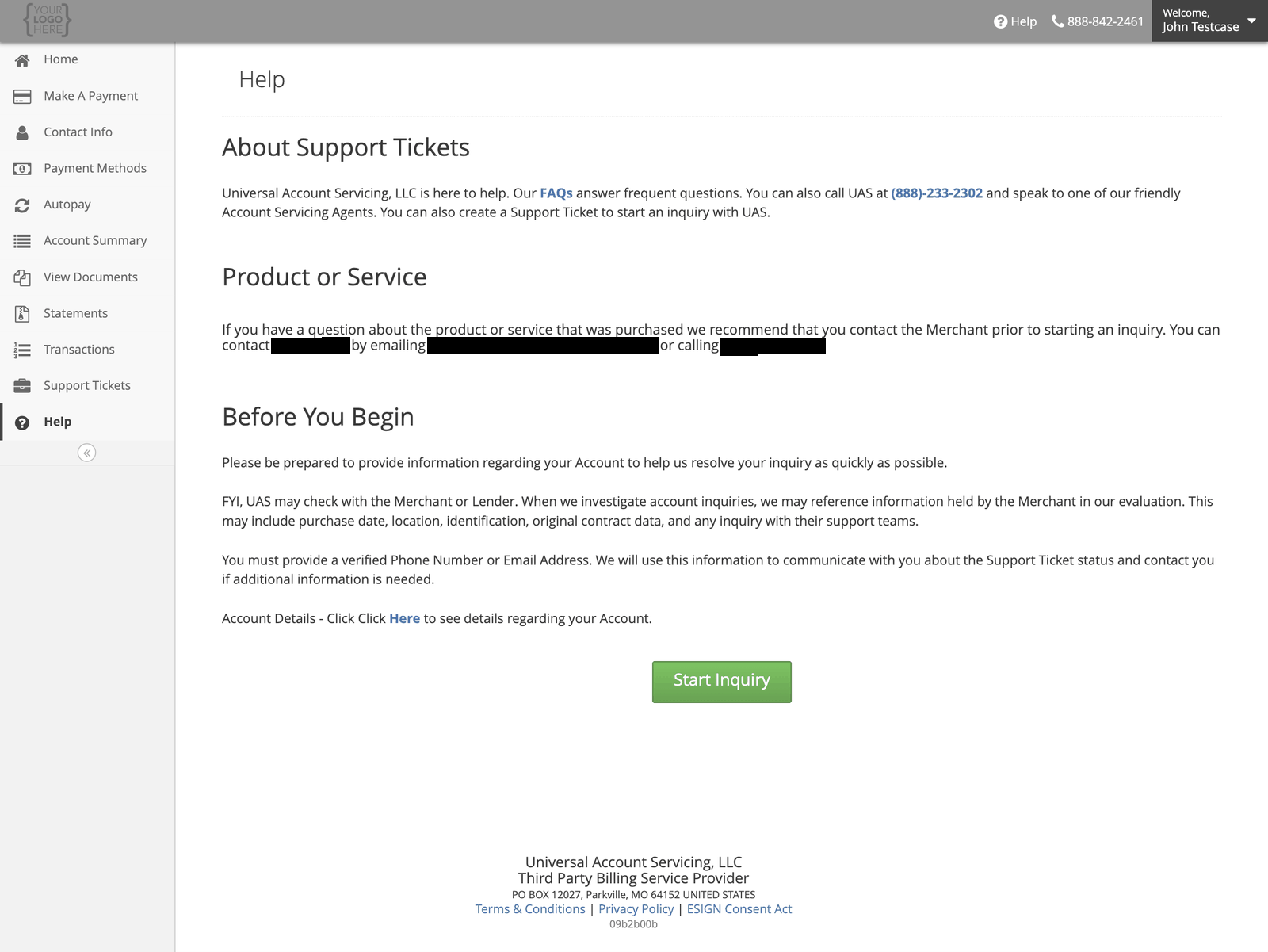
You can open a support request in uPortal360 at any hour. Sign in and select **Help**, then
**Start Inquiry**.
 ## Before you start
Have your account details to hand, and a **verified phone number or email address** on your account
— that is how we come back to you.
**We may check with the business you bought from.** When we look into an account question we can
reference what they hold: purchase date, location, identification, the original contract, and any
contact you have had with their support team.
## Choosing a category
The category shapes who looks at it, so pick the closest one.
## Before you start
Have your account details to hand, and a **verified phone number or email address** on your account
— that is how we come back to you.
**We may check with the business you bought from.** When we look into an account question we can
reference what they hold: purchase date, location, identification, the original contract, and any
contact you have had with their support team.
## Choosing a category
The category shapes who looks at it, so pick the closest one.
 ### Billing
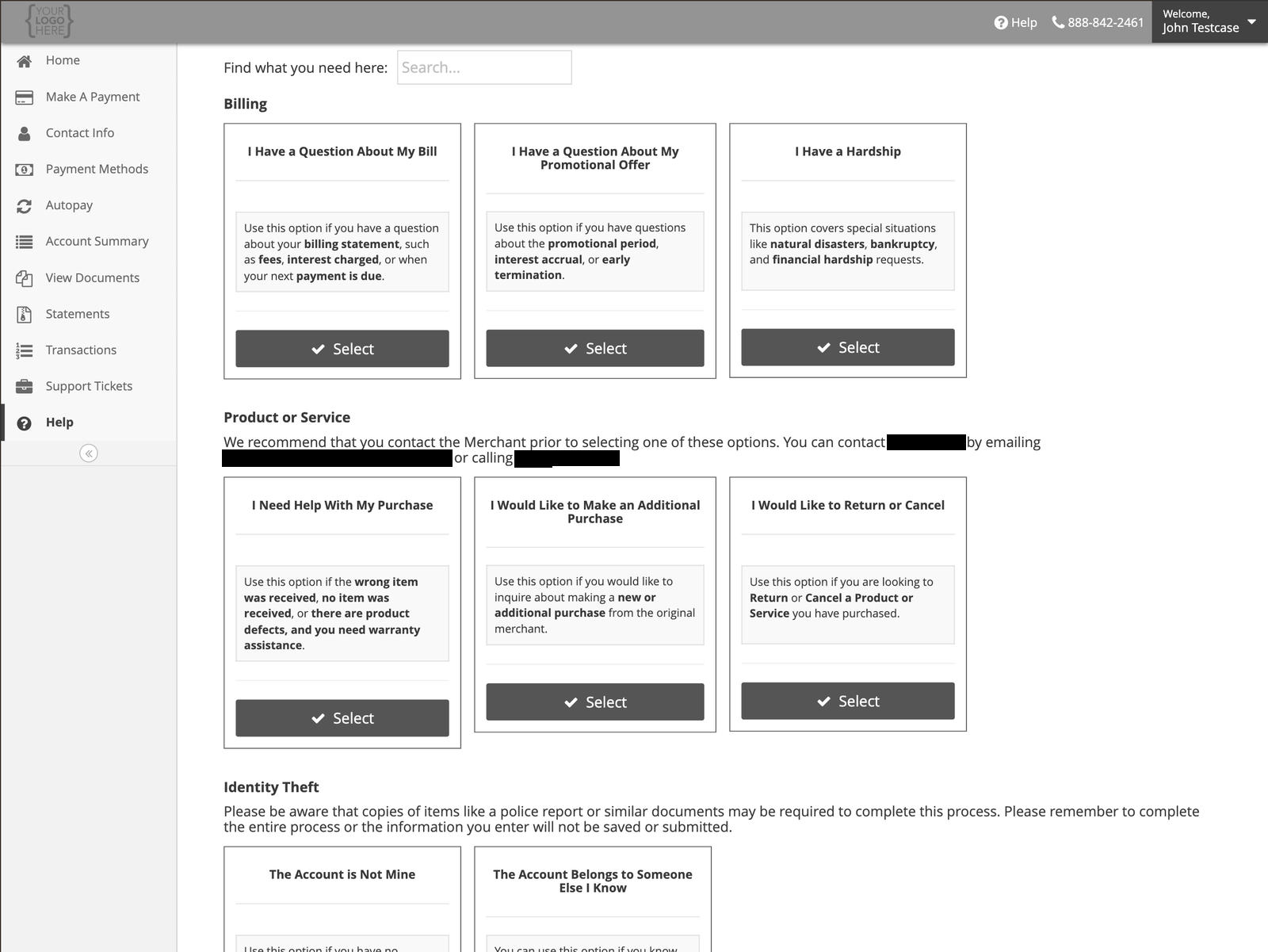
| Option | Use it for |
| ------------------------------------------------ | --------------------------------------------------------------------------------------------------------------- |
| **I Have a Question About My Bill** | Fees, interest charged, or when your next payment is due |
| **I Have a Question About My Promotional Offer** | Your promotional period, interest accrual, or early termination — see [Promotional offers](/promotional-offers) |
| **I Have a Hardship** | Natural disaster, bankruptcy, or financial hardship |
### Product or service
Questions about what you actually bought. **Contact the business you bought from first** — they hold
the goods, the warranty and the returns process. Their details are shown on the Help page.
| Option | Use it for |
| ----------------------------------------------- | ----------------------------------------------- |
| **I Need Help With My Purchase** | Wrong item, nothing received, defects, warranty |
| **I Would Like to Make an Additional Purchase** | Buying more from the same seller |
| **I Would Like to Return or Cancel** | Returning or cancelling goods or services |
### Identity theft
**If the account is not yours, use these rather than a billing question.** They follow a different
process.
You may be asked for a police report or similar documentation. Complete the whole process in one
go — what you enter is not saved until you submit it.
### Billing
| Option | Use it for |
| ------------------------------------------------ | --------------------------------------------------------------------------------------------------------------- |
| **I Have a Question About My Bill** | Fees, interest charged, or when your next payment is due |
| **I Have a Question About My Promotional Offer** | Your promotional period, interest accrual, or early termination — see [Promotional offers](/promotional-offers) |
| **I Have a Hardship** | Natural disaster, bankruptcy, or financial hardship |
### Product or service
Questions about what you actually bought. **Contact the business you bought from first** — they hold
the goods, the warranty and the returns process. Their details are shown on the Help page.
| Option | Use it for |
| ----------------------------------------------- | ----------------------------------------------- |
| **I Need Help With My Purchase** | Wrong item, nothing received, defects, warranty |
| **I Would Like to Make an Additional Purchase** | Buying more from the same seller |
| **I Would Like to Return or Cancel** | Returning or cancelling goods or services |
### Identity theft
**If the account is not yours, use these rather than a billing question.** They follow a different
process.
You may be asked for a police report or similar documentation. Complete the whole process in one
go — what you enter is not saved until you submit it.
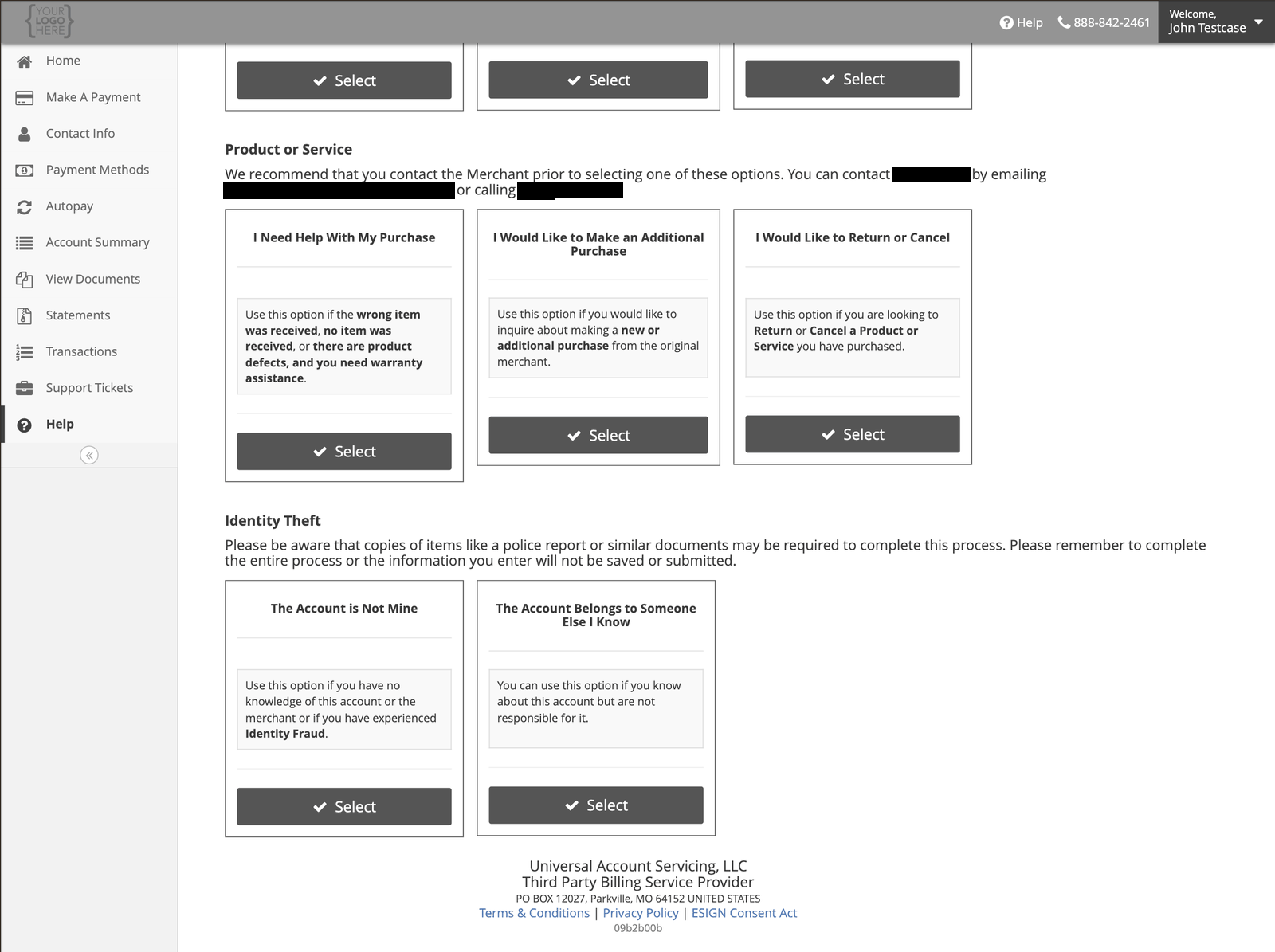 | Option | Use it for |
| ---------------------------------------------- | ---------------------------------------------------------------------------- |
| **The Account is Not Mine** | You have no knowledge of the account, or you have experienced identity fraud |
| **The Account Belongs to Someone Else I Know** | You know about the account but are not responsible for it |
## What happens next
Your request is logged, we gather what is needed, and it follows the resolution process for your
account type. **You will get email updates as it progresses**, and you can see open and closed
requests under **Support Tickets**.
### How long it should take
| | |
| ------------------------------------ | ----------------------------------------------------------------------- |
| **Acknowledged** | The next business day |
| **Resolved** | Within **11 business days** for most requests |
| **If the seller has to be involved** | Longer, and you will see it on the ticket while we chase them |
| **Identity theft** | Up to 60 calendar days, because it is investigated rather than answered |
If your request is about something the business you bought from has to decide — a return, a
cancellation, a product fault — most of that time is theirs, not ours. The ticket shows you where it
is sitting.
### If it is taking too long, or the answer is wrong
You can **escalate** the request from the portal, or in writing. You have to wait until the day
after you opened it — you cannot escalate the same day.
If you disagree with the resolution you are given, you can **dispute** it, in the portal or in
writing. A dispute is looked at by someone other than the person who answered it, and the aim is a
final response within **7 business days**. Some are extended; you should be told if yours is.
Both of these are normal, and using them does not put you at the back of a queue.
## If it is urgent
Call instead. A scheduled payment that needs stopping, or a sign-in problem the day a payment is
due, should not wait for a queue.
Monday to Friday, 7:00 AM – 7:00 PM Central.
| Option | Use it for |
| ---------------------------------------------- | ---------------------------------------------------------------------------- |
| **The Account is Not Mine** | You have no knowledge of the account, or you have experienced identity fraud |
| **The Account Belongs to Someone Else I Know** | You know about the account but are not responsible for it |
## What happens next
Your request is logged, we gather what is needed, and it follows the resolution process for your
account type. **You will get email updates as it progresses**, and you can see open and closed
requests under **Support Tickets**.
### How long it should take
| | |
| ------------------------------------ | ----------------------------------------------------------------------- |
| **Acknowledged** | The next business day |
| **Resolved** | Within **11 business days** for most requests |
| **If the seller has to be involved** | Longer, and you will see it on the ticket while we chase them |
| **Identity theft** | Up to 60 calendar days, because it is investigated rather than answered |
If your request is about something the business you bought from has to decide — a return, a
cancellation, a product fault — most of that time is theirs, not ours. The ticket shows you where it
is sitting.
### If it is taking too long, or the answer is wrong
You can **escalate** the request from the portal, or in writing. You have to wait until the day
after you opened it — you cannot escalate the same day.
If you disagree with the resolution you are given, you can **dispute** it, in the portal or in
writing. A dispute is looked at by someone other than the person who answered it, and the aim is a
final response within **7 business days**. Some are extended; you should be told if yours is.
Both of these are normal, and using them does not put you at the back of a queue.
## If it is urgent
Call instead. A scheduled payment that needs stopping, or a sign-in problem the day a payment is
due, should not wait for a queue.
Monday to Friday, 7:00 AM – 7:00 PM Central.