> ## Documentation Index
> Fetch the complete documentation index at: https://faq.universalaccountservicing.com/llms.txt
> Use this file to discover all available pages before exploring further.
# When we cannot find your credit report
> What to do when your application says we could not pull accurate underwriting information.
You will see **Unable to Process Application**, saying we could not pull accurate underwriting
information from the data on the application.
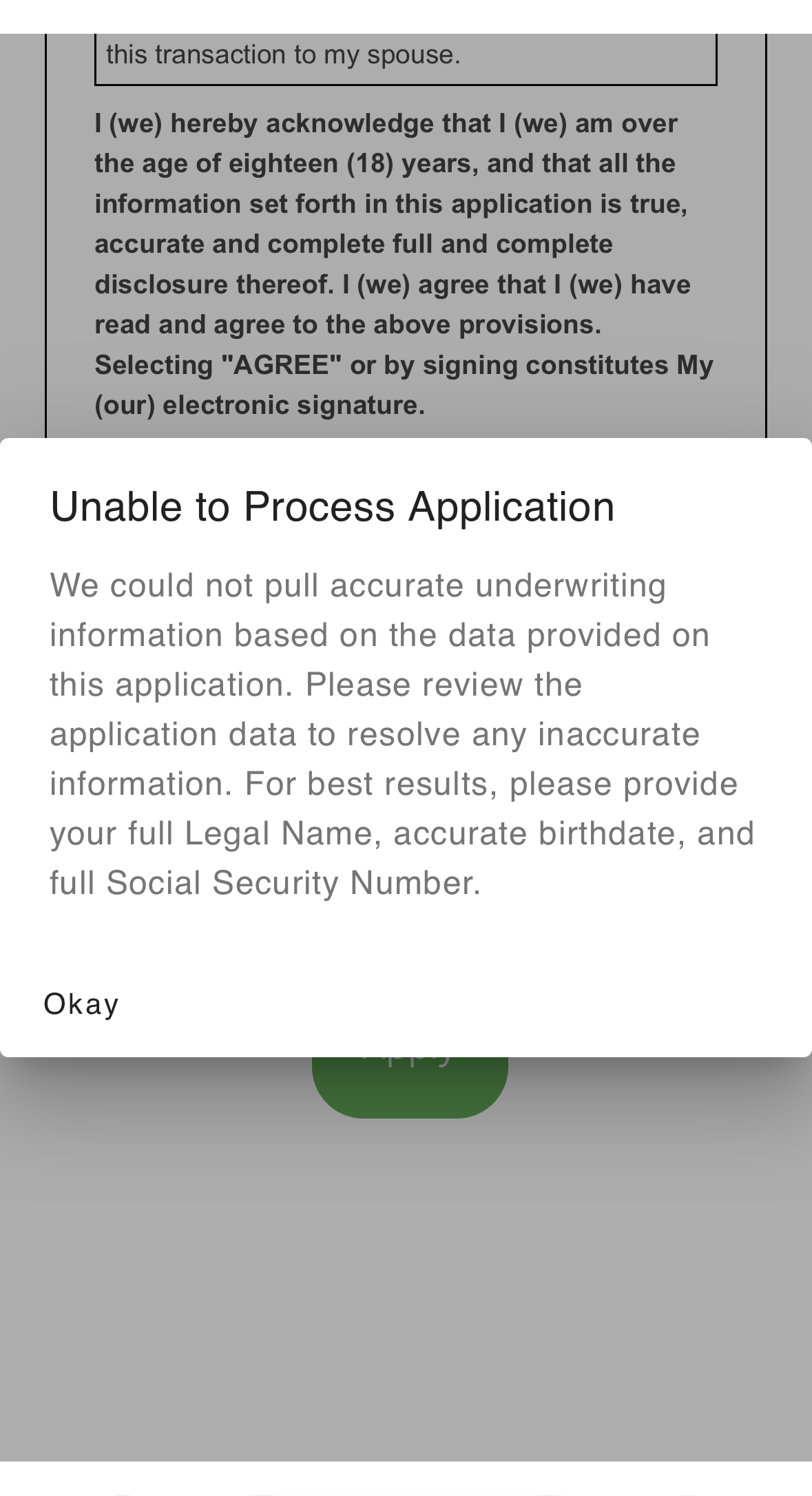 This is a lookup problem, not a decision about your credit. We could not find a credit report
matching what you entered, so nothing has been assessed yet.
It usually means something small is off — a nickname instead of a legal name, a typo in a
birthdate, a partial Social Security Number, or a recent move the bureau has not caught up with.
Select **Okay** and you will be taken back to review your application.
## What to check
Work through these in order. The first three fix most of them.
| Field | What to do |
| -------------------------- | ---------------------------------------------------------------------------------------------------------------------------------------------------- |
| **Legal name** | Use your **full legal name** exactly as it appears on your government ID — not a nickname, not a shortened first name. Add a suffix if you have one. |
| **Date of birth** | Check every digit, including the year. |
| **Social Security Number** | Enter your **full** SSN. A partial number is the most common reason a report cannot be found. |
| **Address** | Check the street number, apartment or unit, and zip code. |
## If your name or address changed
The bureau may still have you under your old details. The **Additional Information** step lets you
give us the previous ones without changing what is on your application.
This is a lookup problem, not a decision about your credit. We could not find a credit report
matching what you entered, so nothing has been assessed yet.
It usually means something small is off — a nickname instead of a legal name, a typo in a
birthdate, a partial Social Security Number, or a recent move the bureau has not caught up with.
Select **Okay** and you will be taken back to review your application.
## What to check
Work through these in order. The first three fix most of them.
| Field | What to do |
| -------------------------- | ---------------------------------------------------------------------------------------------------------------------------------------------------- |
| **Legal name** | Use your **full legal name** exactly as it appears on your government ID — not a nickname, not a shortened first name. Add a suffix if you have one. |
| **Date of birth** | Check every digit, including the year. |
| **Social Security Number** | Enter your **full** SSN. A partial number is the most common reason a report cannot be found. |
| **Address** | Check the street number, apartment or unit, and zip code. |
## If your name or address changed
The bureau may still have you under your old details. The **Additional Information** step lets you
give us the previous ones without changing what is on your application.
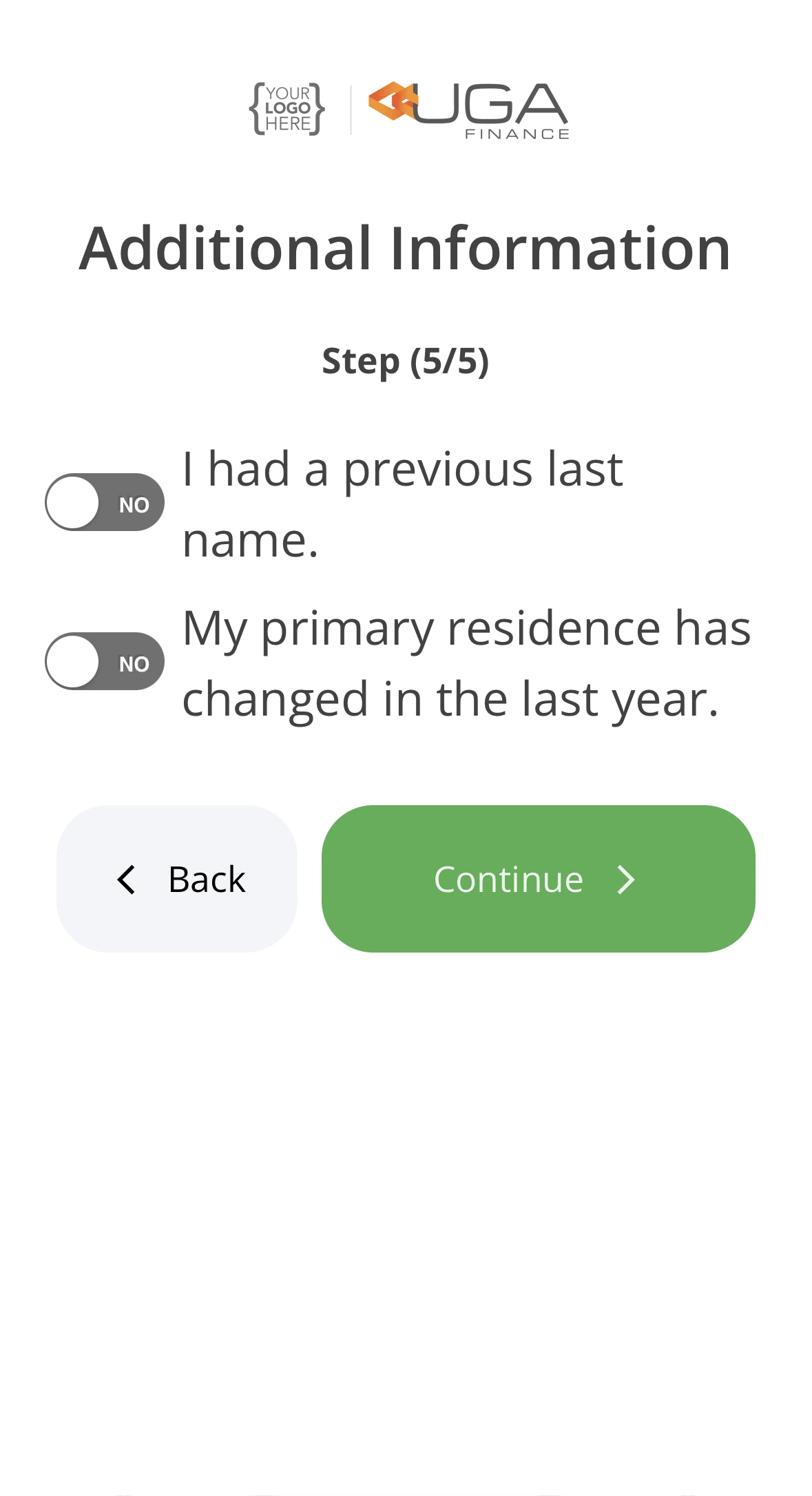 Turn on **I had a previous last name** and enter the earlier name — a maiden name counts.
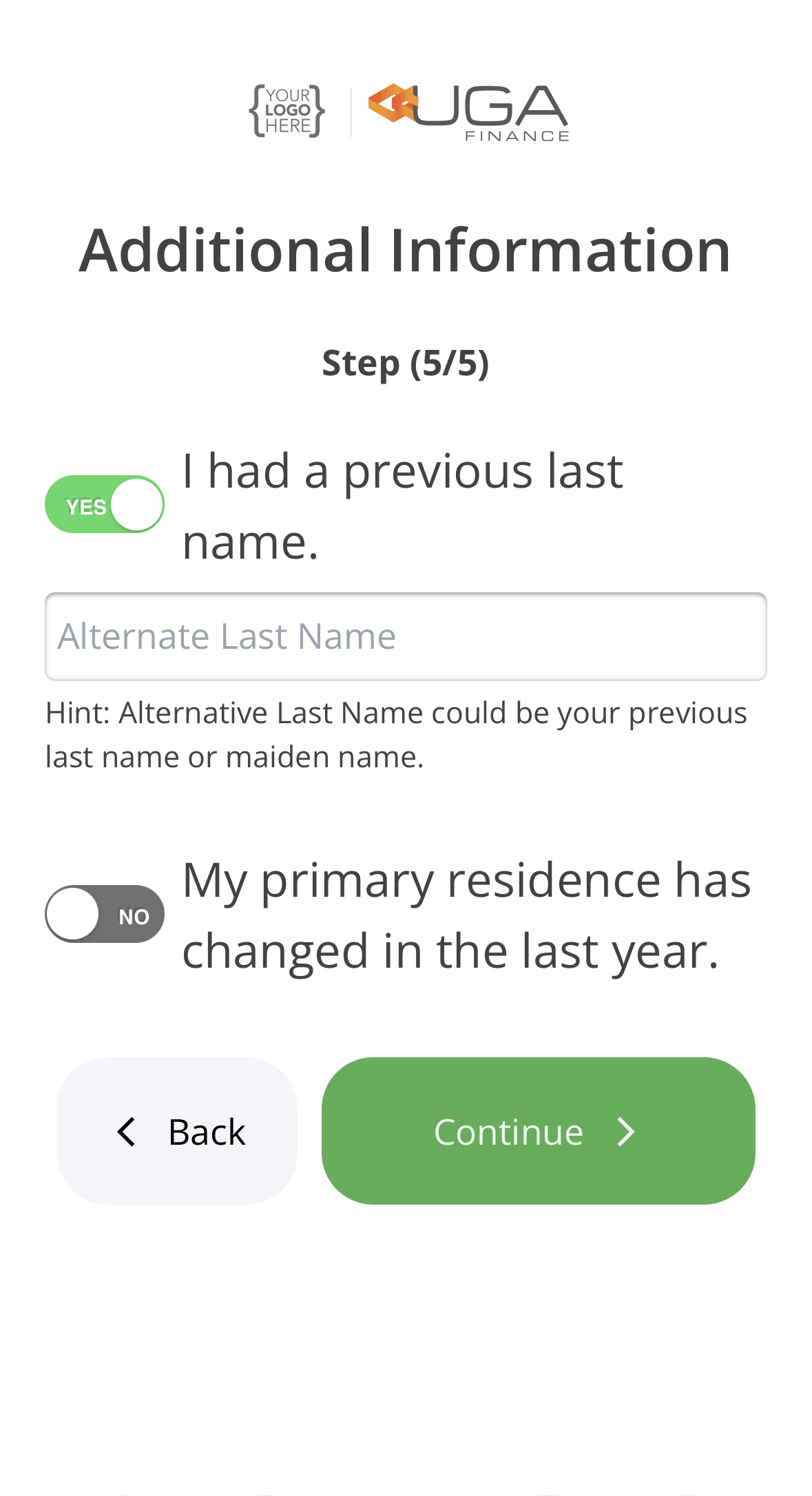 Turn on **My primary residence has changed in the last year** and enter where you lived before.
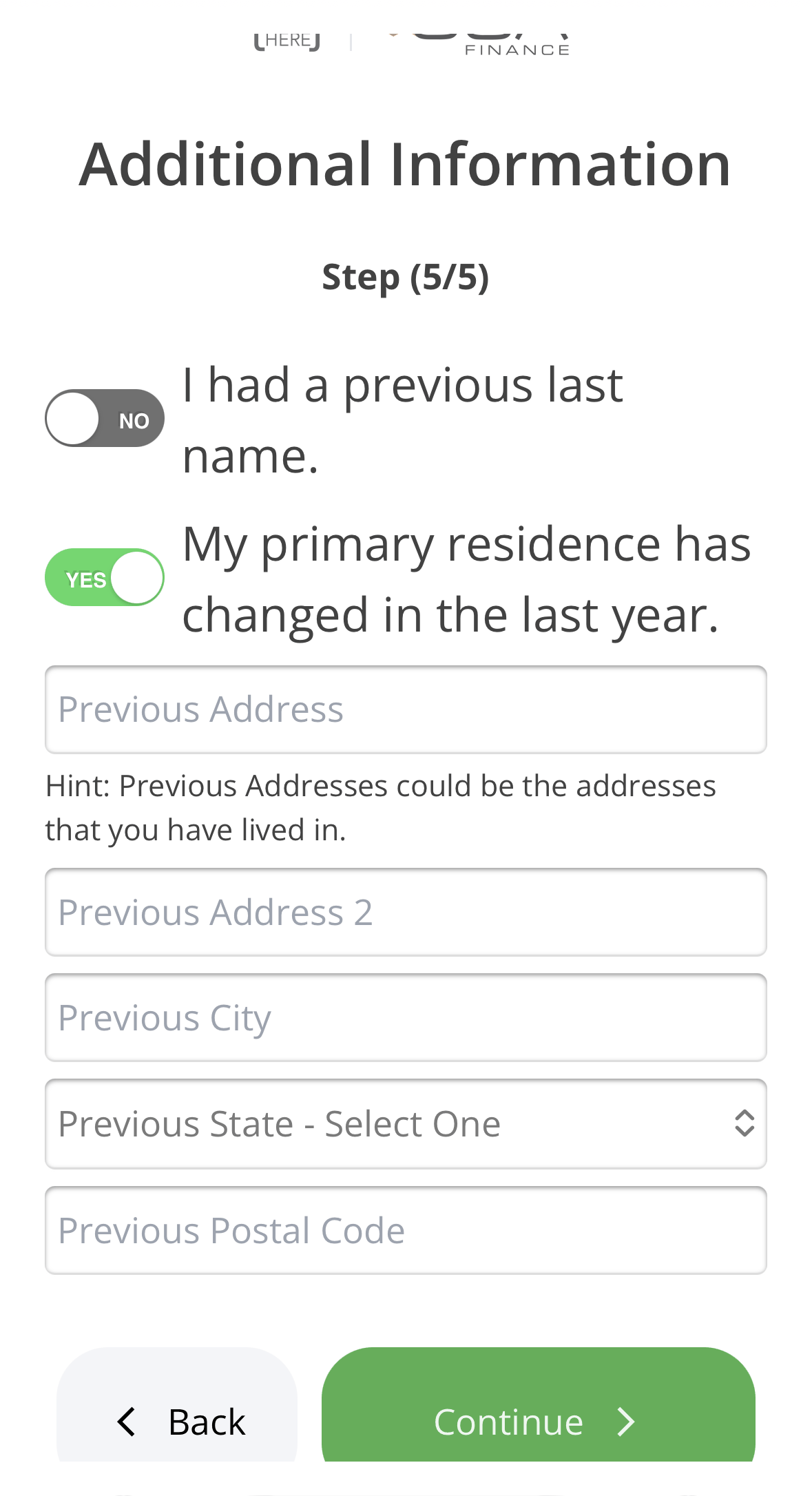 Your current name and address stay on your application. The previous ones are only used to find
your credit file. You are not replacing your details with old ones.
Select **Continue** when you are done.
## If it fails a second time
If we still cannot find a report after you have corrected your details, this stops being something
you can fix on the application screen.
Before you call, it is worth checking what the bureau actually holds for you. If their records are
out of date, that is what is blocking the match, and correcting it there fixes the underlying
problem rather than working around it.
Go to
[transunion.com/customer-support/contact-us-consumers](https://www.transunion.com/customer-support/contact-us-consumers).
You do not need an account to get there.
That is the option for the name and addresses on your credit report — the details a lookup
matches against. TransUnion will verify who you are first.
Check the name and addresses they hold against what you entered. A difference here is usually
the reason we could not find your file.
UAS primarily uses TransUnion, so start there. The other bureaus, and what else that page can do,
are covered on [your credit file](/your-information/your-credit-file).
**Some corrections have to be sent by mail, and those take time you may not have.** TransUnion
decides which changes can be made online. A mailed correction often takes longer than the
**30 days** your application stays open.
If yours needs to go by mail, do not wait for it. [Call us](/applying/still-pending) — a
representative can work the application from our side while the bureau catches up.
**If the bureau is holding information that is wrong, we do not require you to fix it before we
proceed.** We keep the accurate information on your application and continue. You should still
correct it with the bureau, because it will affect anything else you apply for.
When you are ready, [call us](/applying/still-pending) and we can look at it with you. Have a
current photo ID to hand — you may be asked to upload one so we can compare it with what you
entered.
## If nothing is resolved
An application we never retrieve a valid credit report for closes **30 days after you applied**.
The clock runs from your original application date, not from when the problem appeared.
Your current name and address stay on your application. The previous ones are only used to find
your credit file. You are not replacing your details with old ones.
Select **Continue** when you are done.
## If it fails a second time
If we still cannot find a report after you have corrected your details, this stops being something
you can fix on the application screen.
Before you call, it is worth checking what the bureau actually holds for you. If their records are
out of date, that is what is blocking the match, and correcting it there fixes the underlying
problem rather than working around it.
Go to
[transunion.com/customer-support/contact-us-consumers](https://www.transunion.com/customer-support/contact-us-consumers).
You do not need an account to get there.
That is the option for the name and addresses on your credit report — the details a lookup
matches against. TransUnion will verify who you are first.
Check the name and addresses they hold against what you entered. A difference here is usually
the reason we could not find your file.
UAS primarily uses TransUnion, so start there. The other bureaus, and what else that page can do,
are covered on [your credit file](/your-information/your-credit-file).
**Some corrections have to be sent by mail, and those take time you may not have.** TransUnion
decides which changes can be made online. A mailed correction often takes longer than the
**30 days** your application stays open.
If yours needs to go by mail, do not wait for it. [Call us](/applying/still-pending) — a
representative can work the application from our side while the bureau catches up.
**If the bureau is holding information that is wrong, we do not require you to fix it before we
proceed.** We keep the accurate information on your application and continue. You should still
correct it with the bureau, because it will affect anything else you apply for.
When you are ready, [call us](/applying/still-pending) and we can look at it with you. Have a
current photo ID to hand — you may be asked to upload one so we can compare it with what you
entered.
## If nothing is resolved
An application we never retrieve a valid credit report for closes **30 days after you applied**.
The clock runs from your original application date, not from when the problem appeared.